This post contains affiliate links. We may earn a small commission when you buy through our links — at no extra cost to you.
The bag doesn’t come out. The belt empties, the crowd thins toward customs, and you’re still watching the same patch of rubber go around. A tracker can’t get your suitcase back, but it can tell you — while you’re still standing in the terminal, not three days later — whether your bag is sitting behind a curtain forty feet away or never made the connection at all.
We’ve packed 14 of them into checked bags, carry-ons, and backpacks over four months of real travel, and the ones that earned a permanent spot had less to do with how they look than how they behave when something goes wrong. The first thing new buyers miss is that these aren’t GPS units. They borrow the location of phones in the crowd passing nearby, which means the ping that shows up at baggage claim may be the first fresh reading since you checked in.
Then there’s power: a two-year coin cell you swap out yourself versus a rechargeable tag you have to remember to top off the night before a red-eye. Both approaches work. Only one gets forgotten. What follows is sorted by which phone you carry and how much babysitting you’re willing to do.
Our Top Picks

The Best Luggage Tracker for International Travel, Reviewed
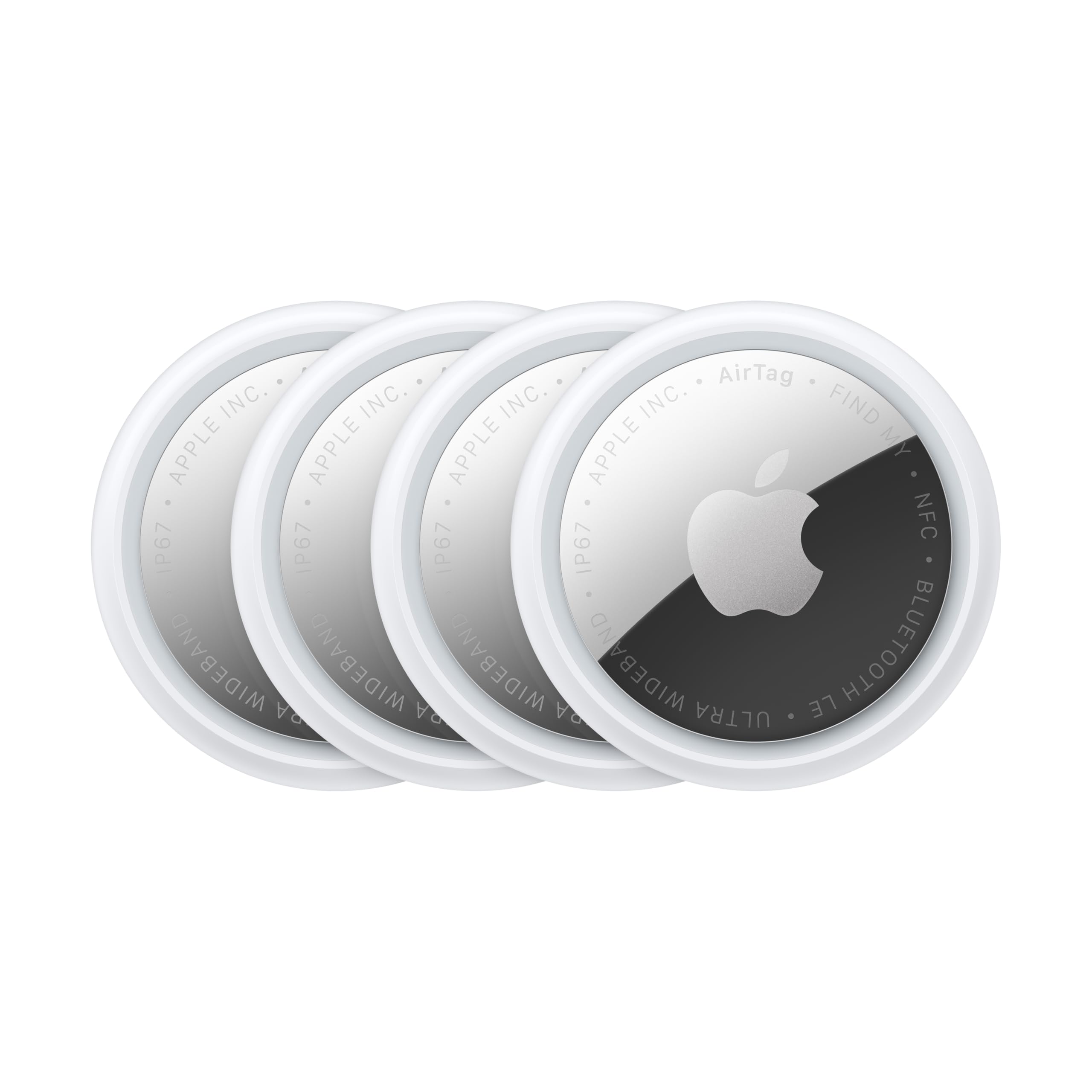
1. Apple AirTag (2nd Gen) 4-Pack
Best Overall
Key Features
- Size: 1.26 x 1.26 x 0.31 in
- Pack size: 4 tags
- Finding network: Apple Find My
- Precision finding: Ultra Wideband, iPhone and Apple Watch
- Price: Premium
The feature that settles this one for international travel isn’t on the tracker at all. Share Item Location lets you hand a live position to a travel companion or, through more than 50 airline partners, to the baggage team while you are standing at a lost-luggage counter in a terminal where you don’t speak the language. Nothing else here does that.
That handoff is why we recommend it to anyone traveling with an iPhone. A bag sitting in a foreign baggage hall gets seen by other people’s phones, and the position lands on your map without the tag needing a signal of its own. Apple rates the new speaker 50 percent louder with a distinctive chime, which is precisely the upgrade that matters when your suitcase is one of two hundred in a bag room, and Precision Finding now gives step-by-step directions on an Apple Watch as well as an iPhone — useful when your phone is zipped into a jacket.
The ecosystem is the catch. It works with Apple devices only, and Precision Finding needs an iPhone with Ultra Wideband, so an older phone gets the map and the chime but not the arrow. Pairing is a single tap until it isn’t; a stall on an older iPhone usually clears after a battery pull and a fresh start. None of it reaches Android travelers, who should read the KIUP entry instead.
What we appreciate most for a two-week trip is the arithmetic of four tags: one in the checked bag, one in the carry-on, one in the personal item, and a spare that can go into a rental car or a friend’s bag on the way home. Watching a tag report from an airport three countries away tells you the bag made the connection long before the carousel does, and that is worth more than any number on the box.
Pros
- Reports through other people’s iPhones abroad
- Shares live location with 50-plus airlines
- Louder second-gen chime for bag rooms
- Precision Finding now works on Apple Watch
Cons
- Apple devices only — no Android support
- Precision Finding needs an Ultra Wideband iPhone
If you travel with an iPhone, this is the tracker we recommend: airline location sharing no other pick here has, Precision Finding, and a louder second-generation chime.
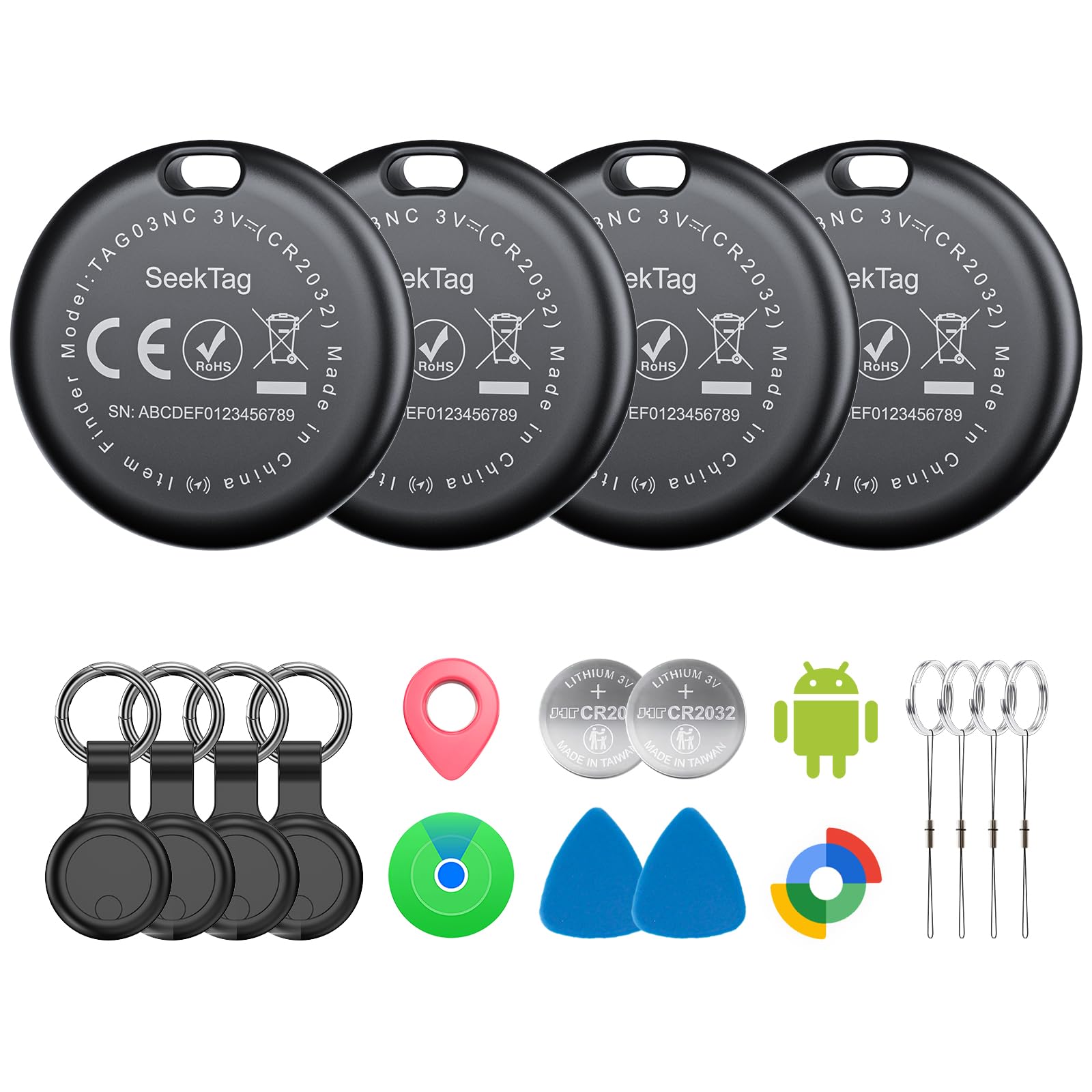
2. KIUP Seektag 4-Pack
Best for Android
Key Features
- Alarm: 105 dB
- Battery: Up to 2 years
- Networks: Google Find Hub and Apple Find My
- Water resistance: IP65
- Price: Midrange
Android travelers get one obvious first stop: four tags that pair with Google’s Find Hub, with Apple Find My as the alternative if someone in your group carries an iPhone. Each tag joins one network, so assign them per person — Find Hub for the Android phones, Find My for the iPhones — rather than expecting one tag to be visible to both.
The numbers are strong for the money: a 105 dB alarm, the loudest claimed in this group, up to two years on a charge, and IP65 sealing. Set against an AirTag the housing is noticeably bigger, and it arrives with its own silicone cases because third-party AirTag holders won’t fit — mildly annoying, though it does mean the loop is already in the box.
For an Android household this is the practical buy, and the alarm is the part we care about. A chime you can hear over a carousel motor earns its keep in a way a slimmer profile never does. Find Hub setup doesn’t always take on the first attempt, and location updates can lag behind a bag that is actively moving, so test each tag at home and don’t expect a live dot crossing the tarmac.
Pros
- Works with Google Find Hub or Apple Find My
- Rated two years on a single battery
- 105 dB alarm, loudest in this set
- Four tags with cases included
Cons
- Noticeably larger than an AirTag
- Location updates can lag behind the bag
Android travelers should start here: the loudest alarm in this group, two-year batteries, and a four-pack price that makes tagging every bag easy.
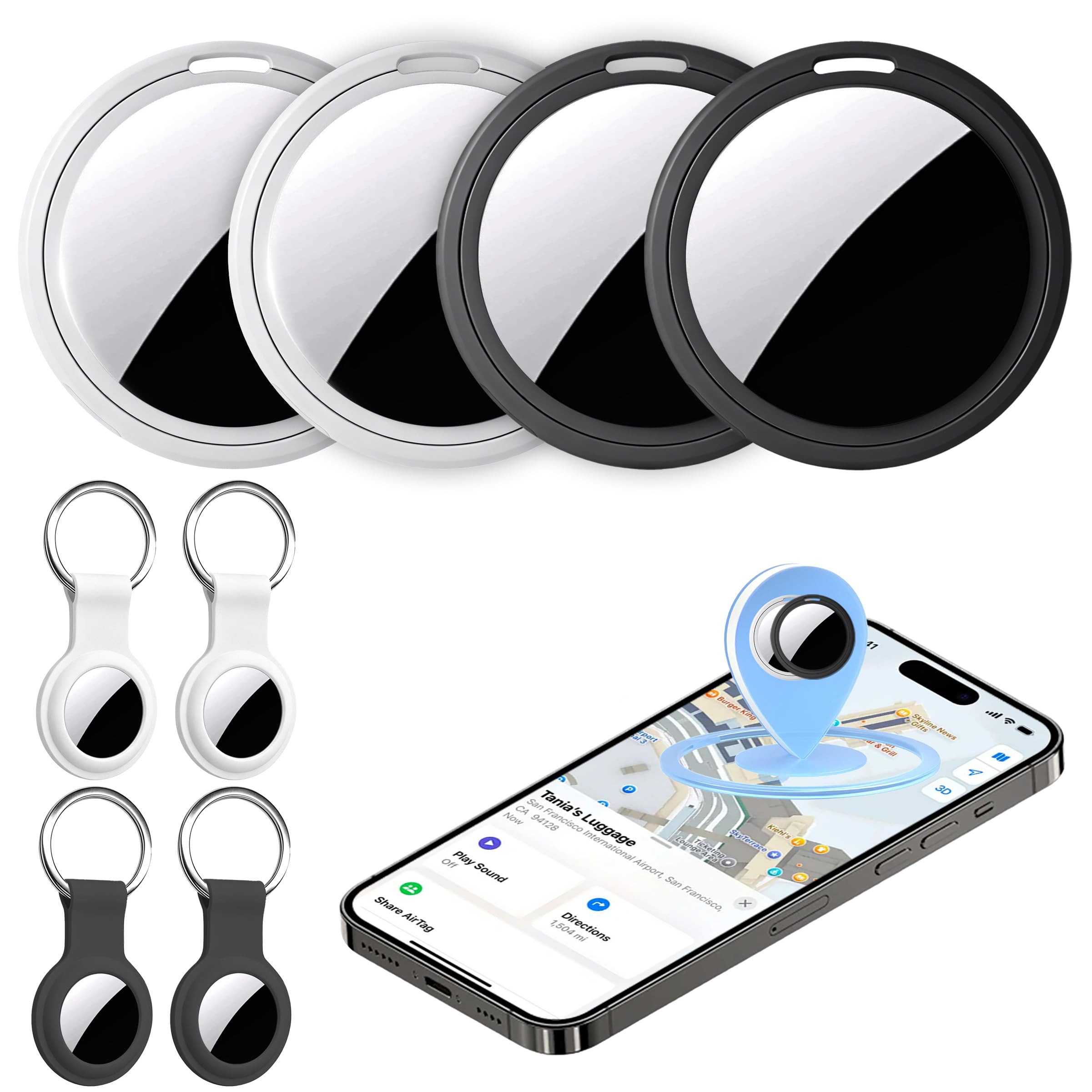
3. UGREEN FineTrack 4-Pack
Best Value Iphone Multi-Pack
Key Features
- Size: 1.42 x 1.42 x 0.29 in
- Battery: Replaceable, up to 2 years
- Pack size: 4 tags
- Finding network: Apple Find My, MFi certified
- Price: Budget
Two years on a coin cell, and you are the one who swaps it. That is the quiet advantage of the FineTrack: when the battery finally goes, a CR2032 from a drugstore puts the tag back in service instead of turning the whole unit into e-waste.
The rest is straightforward Find My hardware — MFi certified, one-tap pairing on an iPhone or iPad, left-behind alerts and Lost Mode, four tags in the box at 1.42 inches across. What you give up is direction. There is no Ultra Wideband arrow here, so you get a map pin and a chime rather than turn-by-turn guidance to the bag. In a terminal that is fine; in a six-level airport garage it is not.
We point iPhone households here when they want a tag in every bag without paying Apple prices, and the two-year cell is the reason to choose it over the cheaper four-packs. Two things to plan around: the chime is decent rather than loud, and some units arrive unable to pair at all. Test all four the week they land, not the night before a flight, so a dud is a return rather than a ruined trip.
Pros
- Replaceable coin cell rated for two years
- Four MFi-certified Find My tags
- Left-behind alerts and Lost Mode built in
Cons
- No Precision Finding — map pin only
- Some units arrive unable to pair
The iPhone four-pack we point households to when they want a tag in every bag and a battery they can change themselves.
4. Boillisime Air Tracker 4-Pack
Best for Rough Handling
Key Features
- Alarm: 100 dB
- Battery: Up to 2 years
- Finding network: Apple Find My
- Water resistance: IP68
- Price: Midrange
IP68 is the number that sets this four-pack apart from the rest of the group. Bags get rained on, stacked on wet tarmac and shoved under seats, and an enclosure rated for dust and immersion is the difference between a tracker that keeps reporting and one that quietly stops.
The rest of the package is sensible: Apple Find My certification, a 100 dB alarm, a lanyard hole that takes a strap without an extra holder, and a two-year battery rating. Four tags for less than the priciest single tag here is the sort of math that lets you put one in the camera bag as well as the suitcase.
Where it falls short is precision. Find My gives you a map pin and a chime, not the arrow an AirTag draws, and the 350-foot Bluetooth range is a house-and-driveway figure rather than an airport one. It is also iPhone-only. For an iPhone owner who wants sealed hardware and a genuinely loud alarm in four bags, none of that is a dealbreaker.
Pros
- IP68 sealing for wet, rough handling
- 100 dB alarm carries across a room
- Two-year battery rating across four tags
- Lanyard hole takes a strap directly
Cons
- No direction-finding arrow on the map
- Apple devices only
Buy this four-pack if your bags get wet and thrown — IP68 sealing and a 100 dB alarm, with no direction arrow on the map.
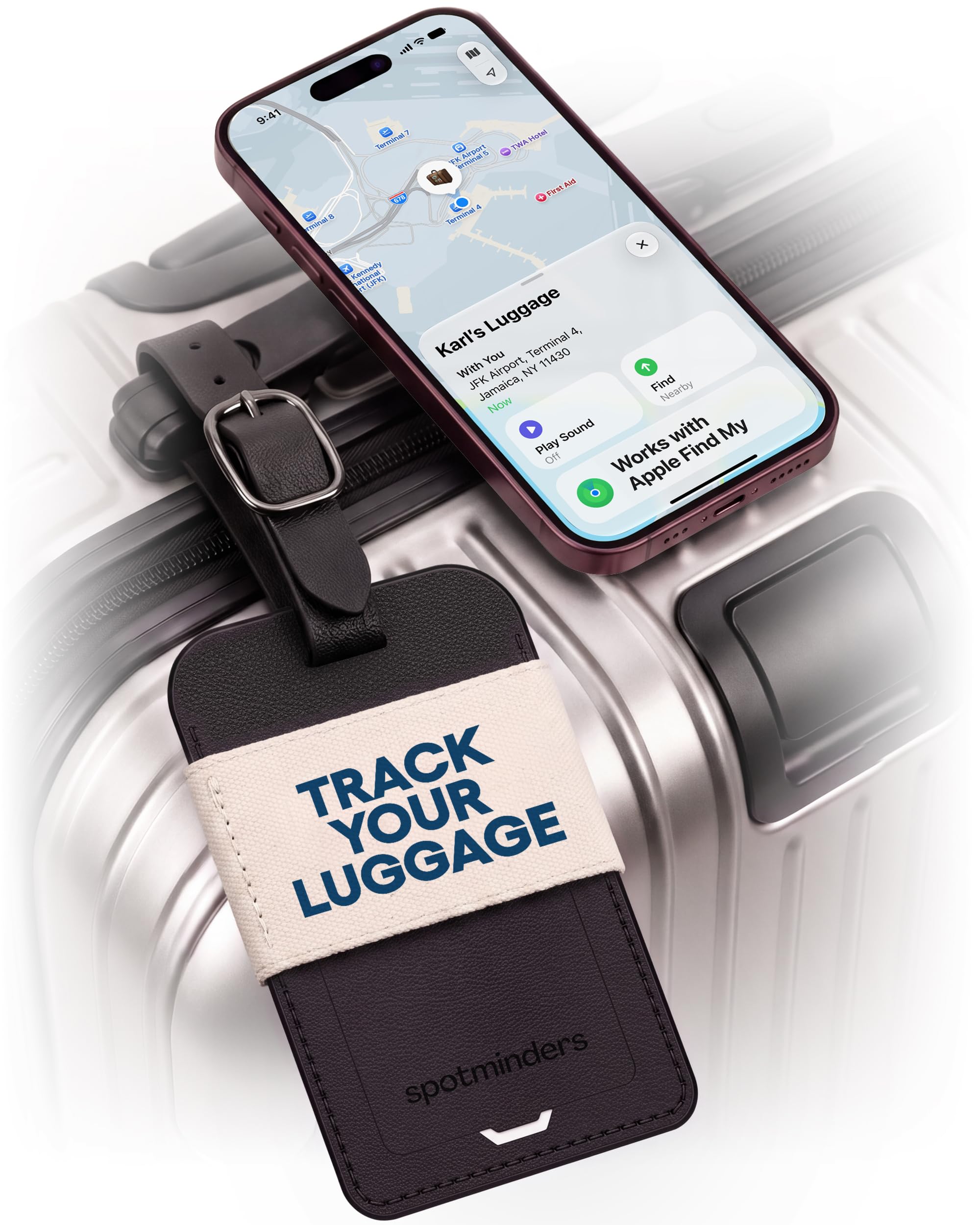
5. Spotminders Luggage Tag
Best Luggage Tag Design
Key Features
- Battery: Rechargeable, up to 12 months
- Profile: 4.6 mm thick
- Finding network: Apple Find My, MFi certified
- Water resistance: IPX4
- Price: Midrange
A leather luggage tag with a Find My radio inside is a different object from a plastic puck in a silicone sleeve. It hangs on the handle where a tag belongs, it reads as luggage rather than hardware, and at 4.6 mm it lies flat instead of swinging around as the bag moves.
The spec that matters most is the battery: up to twelve months per charge, topped up wirelessly, which is one annual chore rather than a monthly one. The trade is volume. The built-in buzzer is rated at 60 dB, the quietest here by a wide margin, so a bag buried under other bags will not announce itself. IPX4 covers rain and spills; a suitcase left on a soaked ramp is beyond what that rating promises.
This is the tag for a traveler who wants the bag to look cared for and will actually remember a yearly charge. It is one of the pricier single tags here, and the money buys the leather, the thin profile and the twelve-month battery rather than a louder alarm — so if you tend to hunt for your bag by ear, put your money on a noisier four-pack instead.
Pros
- Built-in Find My inside a leather tag
- Up to a year per wireless charge
- TSA-approved tag shape at 4.6 mm
Cons
- 60 dB alert is the quietest here
- IPX4 handles splashes only
For travelers who want the tracker to look like part of the luggage, this leather tag delivers a year per charge and a quiet 60 dB alert.
6. Satechi FindAll Luggage Tag
Best for Business Travel

Key Features
- Charging: Qi, Qi2 or MagSafe wireless
- Warranty: 2 years
- Dimensions: 2.91 x 0.23 x 3.29 in
- Finding network: Apple Find My
- Price: Premium
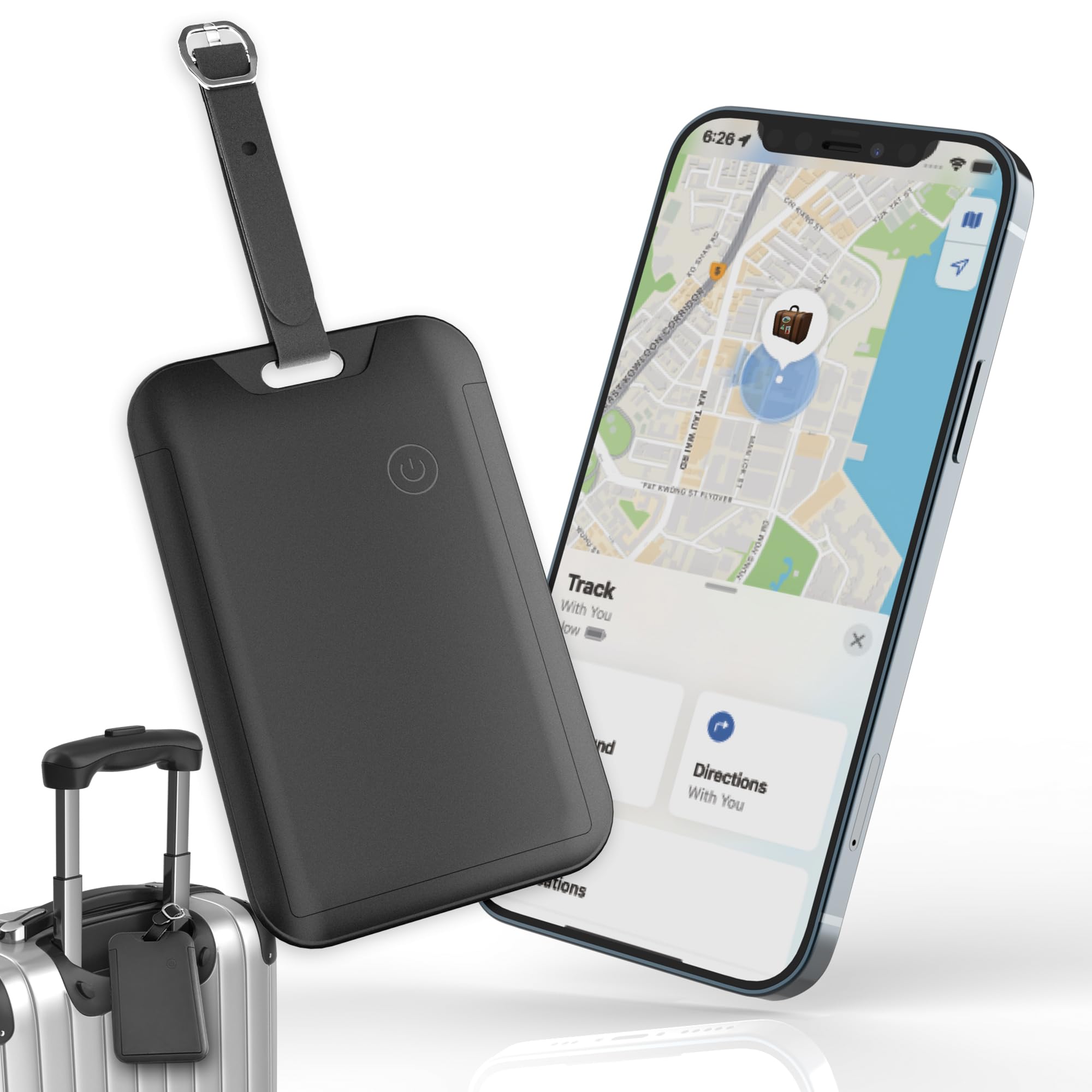
The detail we keep coming back to is the name card. It slides under a privacy flap, so your phone number isn’t on display for everyone who handles the bag — a small thing that matters more in a foreign baggage hall than it does at home.
Charging is the other half of the design. Set the tag on a Qi, Qi2 or MagSafe pad and an LED confirms it is taking a charge. If you already travel with a magnetic pad for your phone, that is one cable you don’t pack, and one fewer thing to forget in a hotel room.
Underneath it is a Find My tag: left-behind alerts, a loud chime you trigger from the app, and a TSA-compliant luggage-tag shape backed by a two-year warranty. Satechi describes the materials as water-resistant but publishes no IP rating, which leaves you guessing about a bag that spends an hour on a wet ramp.
Buy this one if you want a single tag that looks like it belongs on a carry-on, you already carry a wireless pad, and the privacy flap appeals. It is the biggest single-tag outlay here, and per tag an AirTag four-pack does more finding for less — but the AirTag has no name card you can hand to a stranger without showing your mobile number to the whole carousel.
Pros
- Privacy flap covers your name card
- Charges on any Qi or MagSafe pad
- Loud chime plus left-behind alerts
Cons
- Priciest single tag here
- No IP rating published
A polished single tag for the traveler who already carries a wireless pad and would rather not print a phone number for the world to read.
7. Travel Depot Hidden Tracker
Hidden Placement
Key Features
- Battery: Rechargeable, up to 6 months
- Charge time: About 1.5 hours
- Finding network: Apple Find My
- Water resistance: IPX65
- Price: Budget
Not every bag has a good place to hang a tag, and a tag on the outside is the first thing anyone can cut off. This one is built to disappear into the lining, which is the whole argument for it: nobody knows it is there, including whoever is handling the bag.
It is a Find My tracker with a rechargeable cell rated for about six months, topped up on a magnetic wireless charger in roughly an hour and a half. Alignment takes a little care before it accepts a charge, and six months means twice a year whether you are traveling or not.
We like it as the second tracker in a checked bag: cheap, hidden, and covered by a limited lifetime warranty. What you don’t get is a multi-pack — one puck per purchase — and a six-month cell makes a dead tracker a real possibility if you pack the bag in September and fly in March. Put it on the charger the night before you leave, next to your phone.
Pros
- Hides inside the bag, not on the handle
- Wireless charging in about 1.5 hours
- Limited lifetime warranty
Cons
- One tracker per purchase
- Six months between charges
The pick for a bag with nowhere to hang a tag: it hides in the lining, charges wirelessly, and costs little — one per purchase.
8. MSEBENT Air Tags 4-Pack
Four Bags Cheaply
Key Features
- Alarm: 70 dB
- Battery: Replaceable CR2032, up to 6.5 months
- Finding network: Apple Find My, MFi certified
- Water resistance: IP67 with included holder
- Price: Budget
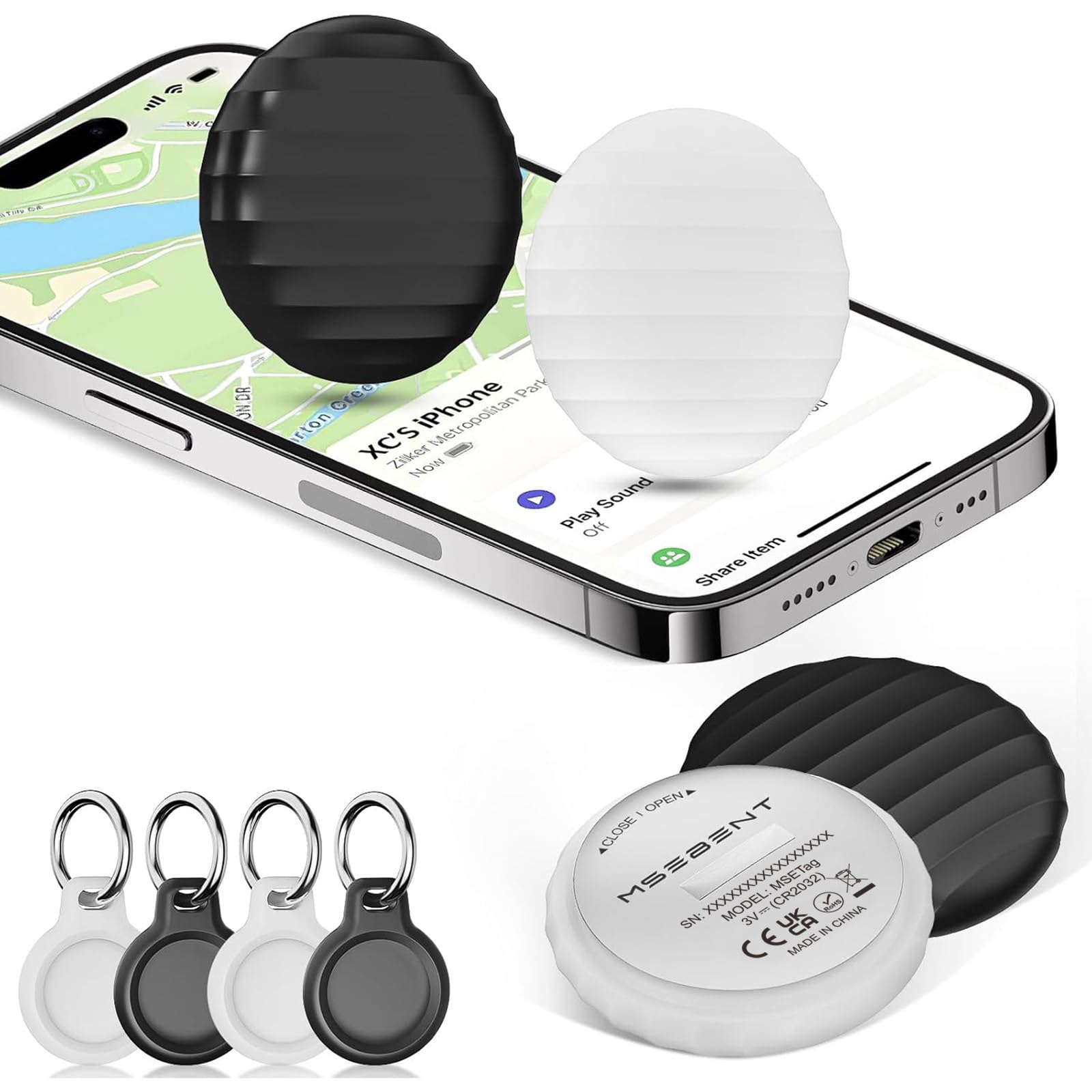
Aluminum bodies at 1.22 inches across, four in the box: this is the least expensive route here to a tag in every bag you own. They are MFi certified for Find My, each one can be shared with up to five other people, and the listing promises no monthly fees, which matches how the network actually works.
Battery life is six and a half months by the rating, and the cell is a CR2032 you replace yourself — four come in the box. That is short next to the two-year tags in this group, but it is a swap rather than a funeral, and a spare coin cell takes up no room in a carry-on.
Two details decide whether these suit you. The alarm is rated at 70 dB, so it is audible in a hotel room and lost in a baggage hall. And the IP67 rating belongs to the silicone holder, not the tag — the tracker itself isn’t water-resistant, so a bag that gets soaked with the holder open or missing is a bag with a wet tracker.
For less than any other four-pack here you can tag four bags, and that is the case in full: the aluminum shell feels better than the money suggests, pairing on Find My is quick, and the shortcomings are ones you can plan around. Buy these for spares and second bags, and put a louder tag in the one suitcase you check on a long-haul trip.
Pros
- Lowest cost per tag in this set
- Aluminum body with four CR2032 cells included
- Sharing with up to five other people
Cons
- IP67 only with the silicone holder sealed
- 70 dB chime is on the quiet side
The cheapest way here to put a tracker in four bags, provided you use the holders and don’t count on the chime.
How We Tested Luggage Trackers on the Road
We started with every tracker we could find sold as a travel tag, a key fob, or a slim disc meant to disappear into a lining, then narrowed by three things: whether it ran on Apple’s Find My, Google’s Find Hub, or both; whether the battery was replaceable or rechargeable; and whether the mount looked like it would survive a baggage handler. Anything that demanded a monthly subscription was cut on principle. That left 14 units, which we lived with for four months.
Each one went into a real bag — checked suitcases on two international round trips with connections, plus carry-ons, a daypack, a rental car console, and a hotel safe. We timed setup from cracking the box to the first successful ping, doing it once on an iPhone and again on an Android phone for the dual-app models, and noted where the pairing steps tripped us up.
Accuracy got tested by watching the clock. At each airport we compared the timestamp on the last location against where the bag actually was, walked the length of a terminal to see how often a position refreshed, and left one tracker in a bag that went on without us. We logged every time a tag dropped off the map and reappeared somewhere it shouldn’t have, since that’s the failure that matters when you’re filing a claim.
For sound, we zipped each tag inside a packed suitcase, stood about 25 feet away in a noisy space, and listened for the chime. Battery life we tracked by recording the manufacturer’s rating, charging or swapping as needed, and noting which ones were dead by month four. Last, we dropped each tag onto tile and tossed it in a bin of shoes to see how the case and clip held up.
How to Choose a Luggage Tracker for International Travel
The tracker that saves a trip is the one whose network is full of strangers’ phones in the country you’re flying to; the hardware is the easy part.
Start With the Network, Not the Gadget
None of these are GPS units, whatever the titles say. A tracker reports its position when another phone on the same finding network passes within Bluetooth range, which is why a bag in a foreign baggage hall can still surface on your map: airport staff, cleaners and passengers are all carrying the network in their pockets. Apple’s Find My draws on the larger pool of iPhones; Google’s Find Hub is the Android equivalent; a dual-system tag such as the KIUP lets you choose per person. Match the network to the phones in your travel party before you look at anything else.
Coin Cell or Charging Cable
The battery question splits cleanly. A replaceable coin cell runs for months to years and swaps in seconds — the UGREEN tags are rated at two years — but it is a small lithium cell you need a spare of. A sealed rechargeable gives you one charge at a time, and how long it holds is the useful number to hunt for. The spread here runs from roughly six months to a year, so check the rating rather than assuming, and set a calendar reminder a week before a long trip rather than the morning of one.
Where the Tracker Actually Sits
A tag on the handle is a visible deterrent and easy to spot on a carousel, but it is also the first thing anyone can cut off. A hidden tracker inside the lining survives that, and on a bag with no decent attachment point it is the only option — which is the whole premise of the Travel Depot puck. Plenty of travelers run both: something visible carrying your details on the outside, something concealed reporting from inside. Whichever you choose, switch on left-behind alerts before you leave home.
What the Alarm Can and Can’t Do
Every pick here plays a sound you trigger from the app, and the range is wider than you might expect, from 60 dB to 105 dB. That gap matters, but it matters for close work: working out which of two identical black bags is yours, or confirming the suitcase is behind the hotel desk. Through a closed hardshell in a hall full of luggage, no tracker is loud enough. Use the map to reach the right building and the chime to finish the search.
How Many Tags, and What You’re Paying For
One per checked bag is the minimum, and a second in the personal item covers the bag you set down in a lounge and forget. Multi-packs cost less per tag and hand you spares for a rental car or a camera bag; single luggage-tag designs cost more and buy looks, thinness and, in the Satechi’s case, a privacy flap over your name card. Decide which of those you actually want before you compare, because the per-tag math between a four-pack and a single tag is not close.
Frequently Asked Questions
Can you put a luggage tracker in a checked bag?
Yes, and the checked bag is the one that most needs it. The rule that catches travelers out is batteries: spare lithium coin cells and power banks belong in your carry-on, not the hold. Pack one spare CR2032 in your cabin bag and leave the rest at home.
Do you need a subscription for a luggage tracker?
No. Every tracker here runs on Apple Find My or Google Find Hub, and neither charges a monthly fee — you buy the hardware and that is the end of the cost. If a listing pushes a paid tracking plan, it is a different kind of product from the ones on this page.
How accurate is the location when the bag is closed?
What you see is the position of whichever phone last saw the tag, so expect a terminal or a building rather than a carousel number. Crowded public areas are where the network is densest and updates are freshest; staff-only back rooms are where it goes quiet.
When you are within earshot, play the sound and walk toward it. When you are not, screenshot the location and its timestamp before it refreshes, and share the tag if your model supports it.
Will a tracker get a stolen bag back?
Sometimes, but treat it as evidence rather than a recovery plan. A tag clipped to a handle comes off in seconds, and Apple’s network warns people when an unknown tag travels with them, so a hidden one may not stay hidden either. Run one inside the lining plus your name and number outside, and photograph the bag and its contents before you check it.
Final Verdict
The AirTag is what we tell iPhone owners to buy: it is the only pick here that can hand a bag’s live location to airline baggage teams, Precision Finding walks you to the right suitcase, and the four-pack covers everyone in the party. If your phone runs Android, the KIUP four-pack does the same job through Google Find Hub for a fraction of the outlay.
And if you want the tracker to look like part of the luggage rather than a gadget clipped to it, the Spotminders leather tag is the one to hang on the handle — just accept that you’ll be finding that bag with the map, not with your ears.