This post contains affiliate links. We may earn a small commission when you buy through our links — at no extra cost to you.
I’ve done the empty-carousel walk of shame, and I’ve also watched a friend pull up a dot on her phone that told the airline exactly which belt her suitcase was sitting on. A tracker doesn’t stop a bag from going missing — it tells you where it went while there’s still time to act.
The catch is that these tags are not interchangeable. Some only speak to Apple’s Find My network, some work with both Apple and Google’s Find Hub, and a few are Android-only; buy the wrong one and you’ve got a plastic square that beeps at nothing. Then there’s power: a replaceable coin cell that runs about two years versus a tag you recharge every few months. We’ve spent four months with 14 trackers in airports, train stations, and hotel lobbies, and the gaps in accuracy and reliability showed up fast.
The rest comes down to less glamorous questions. Does the location refresh in a crowded terminal or lag five minutes behind? Is the chime loud enough to hear through a zipped suitcase? Does it survive a rainy walk from the curb? And setup should feel like pairing earbuds — a minute, not twenty. The picks below answered those best.
Our Top Picks


The Best Airtag Alternatives for Luggage, Reviewed
1. UGREEN FineTrack 4 Pack
Best Overall
Key Features
- Battery: 2-year replaceable button cell
- Tag size: 1.42 x 0.29 x 1.42 in
- Pack size: 4 tags
- Works with: Apple Find My (iPhone, iPad)
- Price: Budget
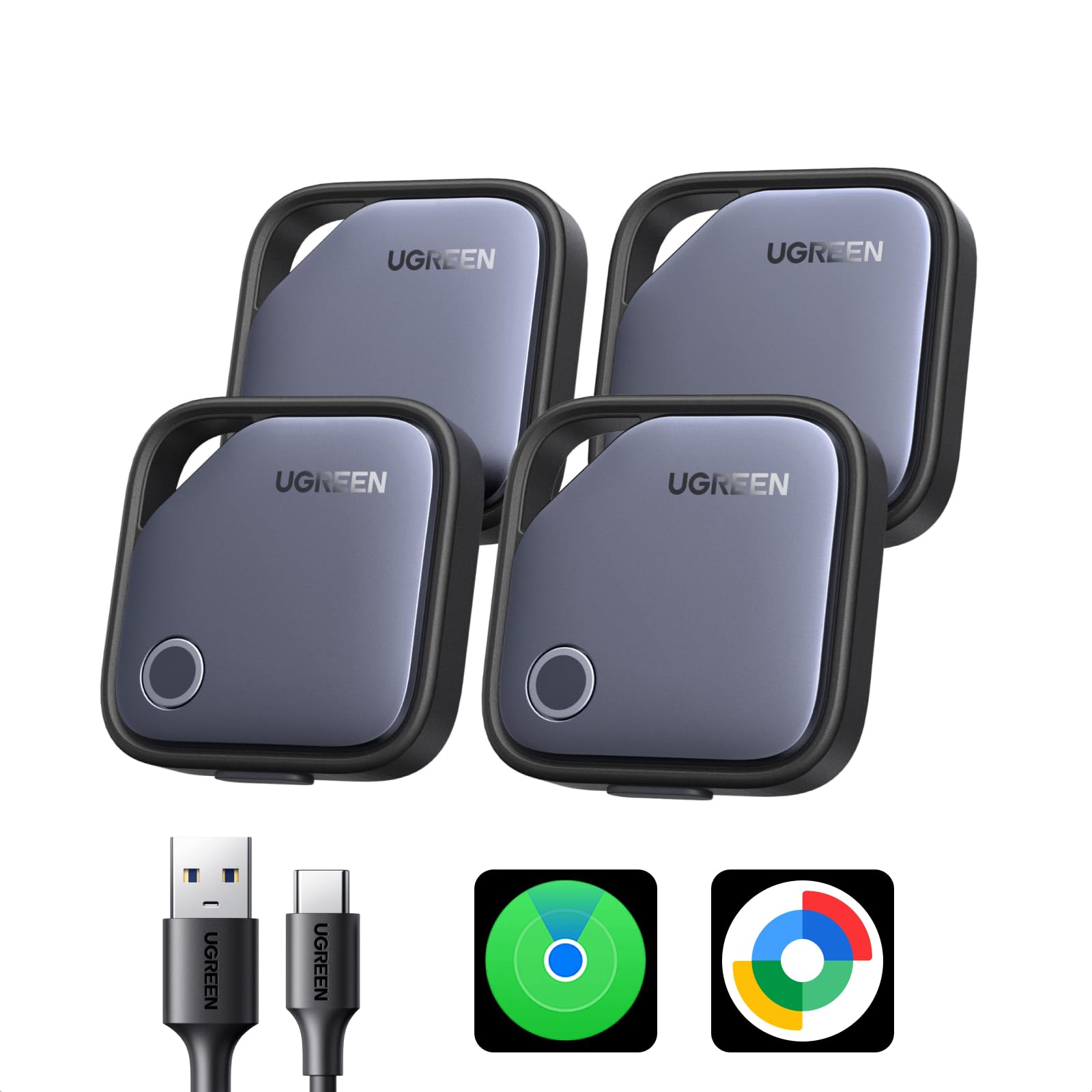
The part of a luggage tracker that fails you is rarely the app. It’s the battery, and it tends to go flat in the suitcase that lives in the closet between trips — which is why the FineTrack’s replaceable button cell, rated for two years, is the detail we keep coming back to. It’s MFi certified for Apple Find My, pairing is the familiar one-tap add with no third-party software and no subscription, and four tags come in the box for about what the single-tag picks here cost.
Each tag is a 1.42-inch square, roughly a third of an inch thick, small enough to drop into an interior pocket and light enough to hang from a keyring without a holder. What you’re buying is the Find My network: the tag checks in when another Apple device passes within range, so a bag that lands in the wrong city usually reports from the ramp as crew phones and passengers walk by. The last hundred feet is a chime and a slow sweep of the carousel, not an on-screen arrow.
Set expectations on freshness rather than features. A position is only as current as the last phone that went past, and a tag under a stack of cases can sit quiet for a while. The alarm is a near-field tool — good for a bag two rows away on the belt, no help at all in a terminal you aren’t standing in. Neither point is unusual for this kind of tracker, and neither changes what you’re actually buying: an early warning that your bag went somewhere you didn’t.
Coverage is where it earns the top spot. A four-pack means a checked bag, a carry-on, a camera bag and a keyring all get one, which is the redundancy that turns a tracker from a gadget into a habit. If your travel party is split between phones, look at the Finder Duo below; if everyone flies with an iPhone, this set covers four bags and then asks nothing of you.
Pros
- Four Find My tags for roughly one single-tag price
- Replaceable two-year cell, no subscription
- One-tap pairing in the Find My app
- Compact 1.42-inch square fits a bag pocket
Cons
- iPhone and iPad only
- No Precision Finding at close range
We recommend it to almost anyone flying with an iPhone: four Find My tags, a battery you can actually change, and no subscription.
2. UGREEN Finder Duo 4 Pack
Best for Android
Key Features
- Alarm: 80 dB
- Range: 100 meters
- Charging: USB-C, 365-day battery
- Works with: Apple Find My and Google Find Hub
- Price: Midrange
The most useful thing about the Finder Duo is a USB-C port. Every tracker here has to be powered somehow, and this one skips the coin cell entirely: plug it into the same cable as your phone roughly once a year and it’s done. That is the difference between a tag that’s ready for a trip and one you find dead the night before a flight. It’s also the set for a household that isn’t all on one phone, since it pairs with Apple Find My or Google Find Hub — one of two sets here that do.
The trade is bulk. The four tags are listed at 139 grams together, heavier than a coin-cell four-pack, and each one is chunkier because the battery and charging hardware live inside. You also give up the trick that makes coin-cell tags forgiving: a flat tag can’t be revived with a spare cell from your wallet, only with a cable. Pair it to one ecosystem at a time, too — an iPhone and an Android phone can’t both watch the same tag — so decide who owns the bag before setup.
Two things to know before you commit. Android pairing is the shakier half of the story, with the trouble clustering on recent Android releases, so set the tags up and test them well before you fly rather than in the departures hall. And at 80 dB this is the quietest alarm of the picks here, which matters less than it sounds, since the alarm only works when you’re close enough to hear it anyway. A year between charges is the real feature, and you notice it every time a trip comes around.
Pros
- USB-C charging instead of coin cells
- Pairs with Find My or Google Find Hub
- Rated for 365 days per charge
- No subscription and no extra app
Cons
- Heavier and bulkier than coin-cell tags
- Android pairing is the less reliable half
For Android households, this is the set we point to: no coin cells, no subscription, and it talks to Google Find Hub or Apple Find My.
3. KIUP 4 Pack
Best All-In Kit
Key Features
- Alarm: 105 dB
- In the box: Four tags and four cases
- Works with: Apple Find My and Google Find Hub
- Water resistance: IP65
- Price: Midrange
KIUP sells this set on one claim: it belongs to Google Find Hub and Apple Find My both. That’s the right pitch for a household where the phones don’t match, and it explains the rest of the box — four silicone cases with keyrings, meant to be handed out before a trip and forgotten about until somebody’s bag doesn’t appear.
We rank it just behind the Finder Duo for one reason, and it isn’t tracking: setup on the Android side is the less certain half. Adding it to Google Find Hub is the step that gives people trouble, and if it doesn’t take on the phone you’re carrying, the tag is a puck. Everything else is a small win — the loudest alarm of the group at 105 dB, IP65 sealing against rain on a jet bridge, and four cases in the box, one less purchase before four bags are covered.
On Find My it’s as quick as anything here: add it, name it, and it behaves like the rest of this group. At 8.5 grams it adds nothing to a handle, and the cases mean you don’t need a separate holder to hang one from a zipper pull. For a family flying with four bags, that bundle is worth more than a marginally better specification; for a solo traveler chasing the lowest price, the Ultrbeka set below is the cheaper way in.
Pros
- Loudest alarm here at 105 dB
- Four protective cases included
- Pairs with Find My or Google Find Hub
- IP65 rated for rain and splashes
Cons
- Find Hub setup is the uncertain step
Our pick for mixed households — the phones at your table don’t have to match, and the four cases mean nothing else to buy.
4. Ultrbeka 4 Pack
Best Budget
Key Features
- Battery: Replaceable CR2032, 18 months
- Tag weight: 0.3 oz
- Works with: Apple Find My (iOS only)
- Water resistance: IP67
- Price: Budget
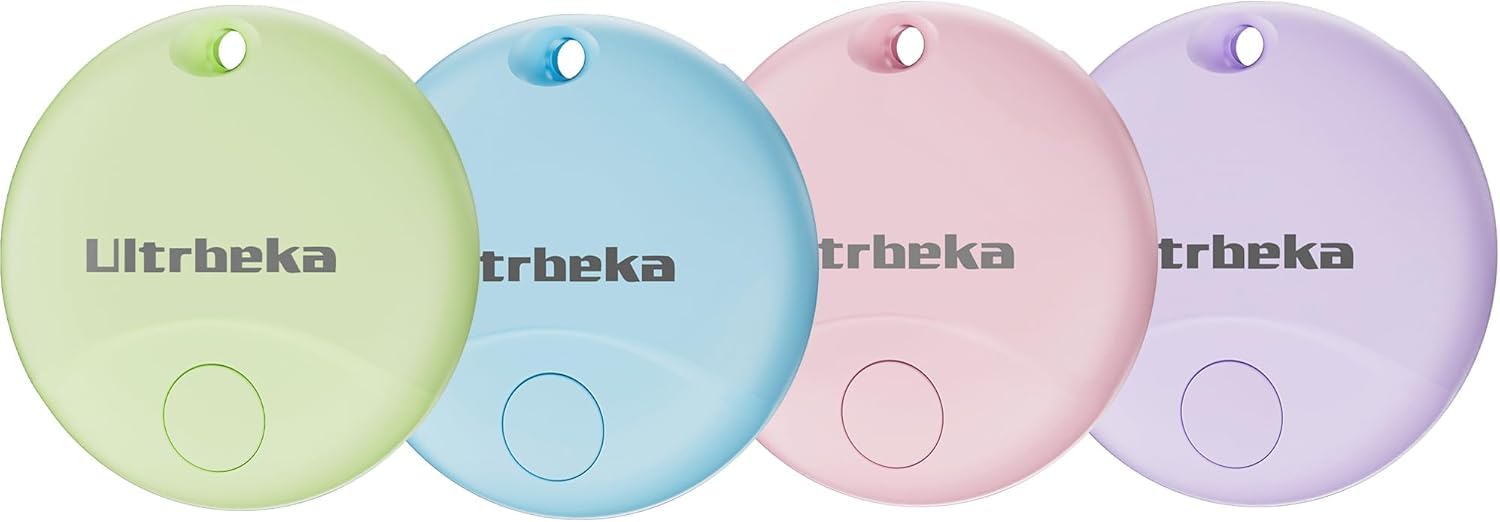
Four tags in four colors sounds like a gimmick until you’re at a carousel with three black pucks in your hand. This is the cheapest four-pack we’re recommending, and the colors are the small thing that makes a multi-bag setup work — assign one per person and nobody has to guess which tag belongs to which suitcase. At 8.5 grams they disappear on a handle, and IP67 sealing plus a replaceable CR2032 rated for 18 months covers the basics without asking you to think about them.
What you accept at this price is uncertainty over time. A tag that stops reporting after a few months is a possibility rather than a certainty, and at this end of the market replacing one costs less than packing it up for a warranty claim. Check the cells before a big trip, too — tags can arrive partly drained from the factory, which is a five-minute job with a spare CR2032 and a nasty surprise on the road. For the duffel that lives in the garage and the kids’ school bags, this is plenty of tracker.
Pros
- Cheapest four-pack here
- IP67 sealed with a replaceable cell
- Four colors to assign per bag
- Light 8.5-gram tags
Cons
- Some units stop reporting within months
- Cells can arrive partly drained
Buy it when four bags need covering for the least money here and a battery swap every year or so doesn’t bother you.
5. Boillisime 4 Pack
Best for Rough Handling
Key Features
- Alarm: 100 dB
- Battery: 2-year replaceable
- Works with: Apple Find My (iOS only)
- Water resistance: IP68
- Price: Midrange
Checked bags spend more time in the rain, on wet tarmac and in the bellies of aircraft than anything else you own, which makes the IP68 rating on this set the most interesting thing about it. That’s the highest dust-and-water rating on anything here that isn’t a purpose-built luggage tag. Add a 100 dB alarm and a listed 350-foot Bluetooth range and you have a set built for the part of air travel where bags get thrown.
The rest is conventional in the right ways. Four tags, a two-year replaceable battery, a lanyard hole built into the body so nothing else is needed to hang one from a handle, and pairing through Find My on an iPhone or iPad with no third-party app involved. The bodies are coin-sized, which is what you want in a bag pocket, and at 100 dB the alarm is loud enough to do the job it’s there for.
The case against it is time, not hardware. This is a newer design with a shorter history behind it, so how the sealing and the cell hold up in year two is genuinely less certain than it is for the UGREEN sets, and that’s the only reason it sits below the top pick. Nothing else here carries that water rating, which for a ski bag or a golf bag is most of the argument.
Pros
- IP68 sealing, the best rating here
- 100 dB alarm
- Two-year replaceable cell with lanyard hole
Cons
- iPhone and iPad only
For gear that rides outside or gets rained on, this is the toughest set here — IP68, a 100 dB alarm, and a two-year cell you can swap.
6. Satechi FindAll Luggage Tag
Best Luggage Tag Design
Key Features
- Weight: 1.53 oz
- Charging: Qi, Qi2, MagSafe wireless
- Dimensions: 2.91 x 0.23 x 3.29 in
- Works with: Apple Find My
- Price: Premium
This isn’t a puck in a silicone holder. It’s a luggage tag — 2.91 by 3.29 inches, about a quarter-inch thick — with a name card behind a privacy flap and a Find My radio inside. On a checked bag it looks like the tag the airline gave you, which is exactly the point: nothing dangling off a handle, nothing to snap in a conveyor, and your name still legible when the battery is flat.
Charging is the other departure. There’s no coin cell and no port: you set it on a Qi, Qi2, or MagSafe pad and an LED tells you when it’s done, which means one less cable in the travel drawer and one more thing to remember before a trip. At 43 grams it’s the heaviest object here by a wide margin, though hanging off a suitcase handle that weight buys a rigid body rather than costing you anything.
Where we hesitate is the arithmetic. This is one tag for the money the four-packs here ask, so it’s a considered purchase for a single good bag rather than a family rollout, and it’s a newer product with a shorter history behind it. For the traveler who checks one hard-shell case a dozen times a year and wants the tag to look like it belongs there, neither point is disqualifying. For everyone with more than one bag, four cheaper tags cover more ground.
Pros
- Luggage-tag form with a privacy name card
- Wireless charging, no coin cell to buy
- Find My without a third-party app
- Rigid 43-gram body
Cons
- Pricier than any four-pack here
- Wireless charging only, no cable option
Worth the premium if you check one good bag and want a tag that looks like luggage, not a gadget — and charges on a pad you likely own.
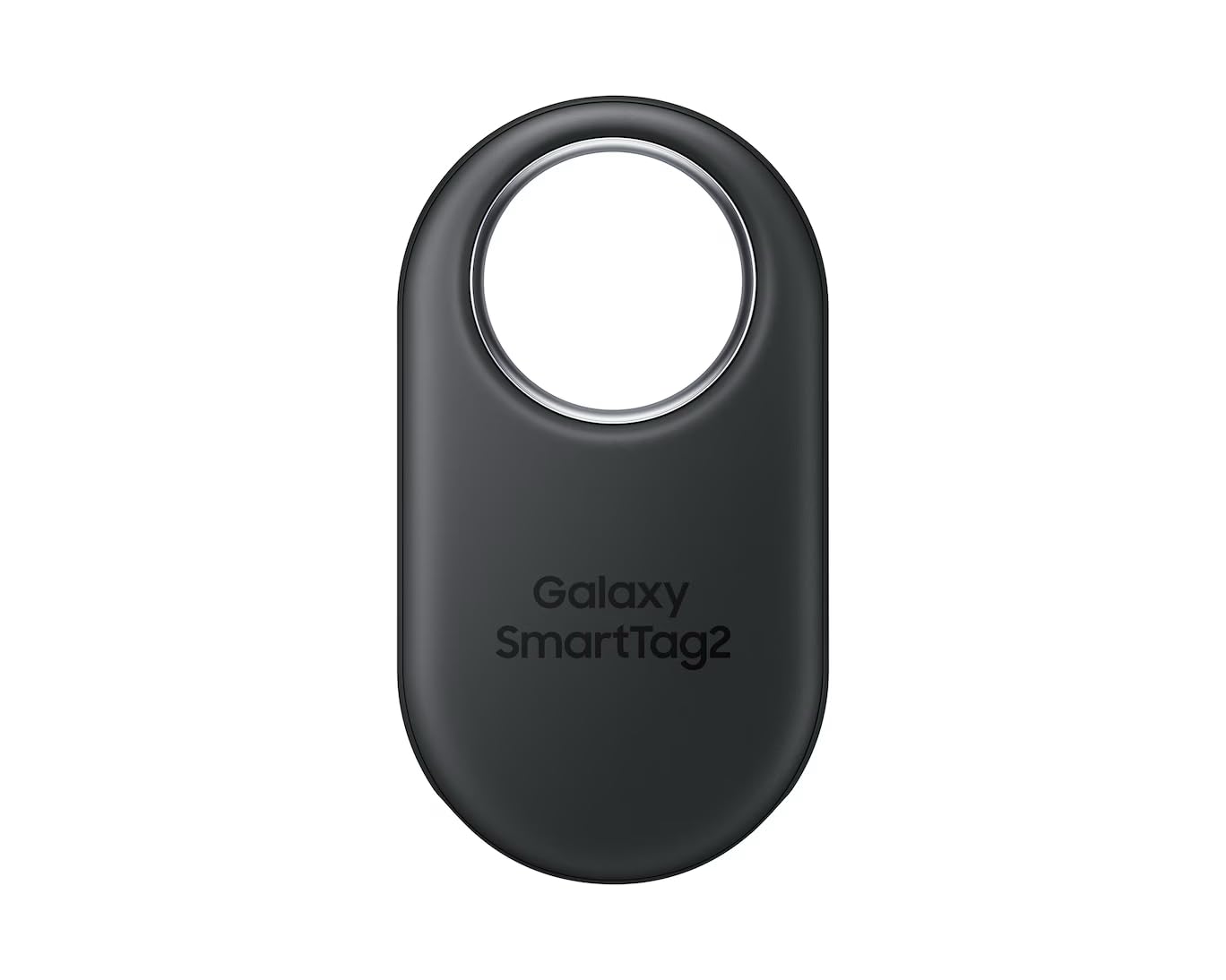
7. Samsung SmartTag2
Best for Galaxy Phones
Key Features
- Battery: Replaceable, up to 1.5 years
- Finding: Bluetooth plus UWB
- Works with: Samsung Galaxy (SmartThings Find)
- Water resistance: IP67
- Price: Midrange
If everyone in your household carries a Galaxy, stop reading the rest of this list. The SmartTag2 is the pick, and it’s the only tag here that doesn’t pretend to be ecosystem-agnostic: it works with Galaxy phones through SmartThings Find, full stop. Hand it to a friend with an iPhone and it does nothing at all. That narrowness is the entire decision.
What you get for it is the best close-range finding in the group. Bluetooth plus ultra-wideband lets a compatible Galaxy phone point you toward the tag with an on-screen arrow instead of just making it beep, which is the feature most of the budget tags here don’t have. It’s IP67 rated for wet tarmac, the coin cell is replaceable with a rated life of a year and a half, and it’s small enough to vanish into a bag pocket.
The catch is the network. Out of Bluetooth range, a SmartTag2 reports a position only when another Galaxy device passes near it, so how useful it is on a bag depends on how many Samsung phones happen to be in the airport where that bag lands. That’s the honest reason it isn’t the overall pick despite having the best hardware here. The other wrinkle is the battery: early low-battery warnings turn up often enough to check the cell before a long trip.
Buy it if your phone is a Galaxy S or Z series and your travel companions are on the same page, and don’t overthink it past that — the UWB arrow is worth the step up on its own, and a single tag costs about what the four-packs here do. If the phones around your table are mixed, this is the one pick on the page that simply can’t help you.
Pros
- UWB arrow finding with Galaxy phones
- IP67 rated
- Replaceable cell, 1.5-year life
Cons
- Galaxy phones only
- Early low-battery warnings can appear
If your phone is a Galaxy and your travel companions’ phones are too, this is the one: UWB arrow finding and a one-and-a-half-year cell.
8. CYBERDOT 4 Pack
Best for First-Time Tracker Buyers

Key Features
- Battery: Replaceable CR2032, up to 1 year
- In the box: Four cases, two spare batteries
- Works with: Apple Find My (iOS only)
- Price: Budget
Open the box and you get four tags, four cases and two spare CR2032 cells, which is the most complete kit here for the money. That matters more than it sounds: the case is what keeps a tag attached to a bag handle for years, and the spare cells mean two flat tags get revived without ordering anything.
The tags pair through Find My on an iPhone with no extra app, and the cells are rated for about a year — half the stated life of the UGREEN and KIUP sets, which is the number to notice if you prefer not to think about batteries again. Water resistance is claimed without an IP number attached, so keep these in an interior pocket rather than strapped to the outside of a bag in a downpour.
Where it earns a place is volume. Four tags and four holders is the setup for a family trip where everyone gets one, and the slim bodies have been unremarkable in the good sense — nothing catches on a zipper, nothing bulges in a pocket. The one-year cell and the vaguer water claim are why it sits below the runner-ups: both ask you to check on the set more often than our top picks do.
For a first set, this is the least risky way to find out whether trackers earn a place in your travel routine — four bags covered, holders included, nothing else to buy. Once the habit sticks, the FineTrack or the Finder Duo is the upgrade.
Pros
- Four cases and two spare cells included
- Find My pairing with no extra app
- Slim bodies that fit a bag pocket
Cons
- About a year per battery cell
The most complete starter kit here — four tags, four cases, two spare batteries — for a household that wants every bag covered at once.
How We Tested These Luggage Trackers
We started by pulling every tracker we could find that was certified for a major finding network, then cut anything that wasn’t built for a bag: no water-resistance rating, no audible chime, or a shell that would slip out of a pocket. That left 14 trackers, a mix of singles and multipacks, which we bought ourselves and lived with for four months.
Pairing was timed with a stopwatch: we set each tag up on an iPhone and, where it was allowed, an Android phone, counting the taps and noting which ones demanded an app or an account we didn’t have. Range got tested the unglamorous way, with a bag left in a parked car while we walked away across an open lot, then repeated through a hotel stairwell, logging the point where the signal dropped.
The main event was a checked bag. Each tracker rode in a suitcase through two round-trip flights, and we recorded how often the location refreshed at check-in, at the carousel, and in the back of a taxi, plus whether the left-behind alert fired before we’d cleared the rental counter. Between trips they went into backpacks, keys, and one long-suffering tote that commutes on a train. Two units quietly fell off the network and needed re-pairing mid-trip, which counted against them.
We dunked each tag in a sink of water and left it there to see which kept chirping. Battery drain got checked weekly, which made the trade-off between a two-year coin cell and a rechargeable tag fairly obvious. The chime got the door test: tag zipped inside a bag, phone in the next room, door shut. And we worked out the real cost per tag once cases and replacement batteries were in the mix.
How to Choose an Airtag Alternative for Luggage
The tracker that saves a bag isn’t the one with the cleverest app — it’s the one whose battery is still alive, on a network with enough phones moving past it, on the night the suitcase doesn’t appear.
Start With Your Phone, Not the Tag
Apple Find My, Google Find Hub, and Samsung SmartThings Find are separate networks, and every tag here belongs to one of them. An iPhone can’t read a Find Hub tag and an Android phone can’t read a Find My one, so the first question is which phones are in your travel party, not which tag has better specifications. The UGREEN FineTrack and the Boillisime set are Find My only; the UGREEN Finder Duo and the KIUP set pair with either network.
One trap worth naming: cross-platform usually means the tag pairs with one ecosystem at a time. You set it up on an iPhone or on an Android phone, not on both at once, so a shared bag needs one person designated as the owner of that tag.
Match the Battery to How Often You Fly
Luggage trackers die in a drawer, not in a crisis. A replaceable coin cell rated for one to two years is the low-maintenance choice: keep a spare CR2032 in your dopp kit and any flat tag is fixed in two minutes, anywhere in the world. A rechargeable tag removes the coin-cell purchase but asks you to remember a cable before a trip, and while it sits on the charger it isn’t tracking anything.
We favor a replaceable cell for checked bags that fly a few times a year, and USB-C charging for a set that lives in everyday bags and gets topped up alongside your phone.
Know What a Bluetooth Tag Can and Can’t Tell You
None of these item finders are GPS. Each reports a position when a phone on the same network passes within Bluetooth range, which is why a bag in another city often checks in as the aircraft is unloaded and then goes quiet for hours. That’s a where-did-my-bag-end-up tool, not a live map.
The alarm is a separate, much shorter-range feature: good for a bag two rows away on the carousel, useless in a terminal you aren’t standing in. And unless a listing names ultra-wideband, assume there’s no arrow pointing at the tag — only the Samsung SmartTag2 offers that here.
Attaching It Is Half the Battle
A bare puck needs a holder to hang from a handle, and a holder is one more thing to break or lose. Sets that include cases, like KIUP and CYBERDOT, save you the separate purchase; a tag with a lanyard hole, like the Boillisime set, clips on with nothing else. A luggage-tag body such as the Satechi FindAll solves it differently, with a name card that still works when the electronics don’t.
Placement matters as much as hardware. An interior pocket keeps a tag dry and out of sight; an outside handle is quicker to check and easier to lose. Put one tag in the bag’s lining pocket and a second in the carry-on, which is the bag you can actually do something about.
Frequently Asked Questions
Do these trackers need a subscription or a SIM card?
No. Every tag here runs on Bluetooth and reports through a phone network that already exists — Apple’s, Google’s, or Samsung’s — so there’s no monthly fee, no data plan, and no activation step. The only ongoing cost is a coin cell every year or two, which is exactly why a replaceable battery is worth more here than it looks on a spec sheet.
How many trackers should I put in my luggage?
Two per traveler is the useful number: one in the checked bag and one in the carry-on you’d hate to lose. That’s why four-packs dominate this list — a couple flying with two bags each is better served by two four-packs than by four single tags, and the spares end up on keys and camera bags.
Can I still find a bag after it’s been lost?
Yes, and Lost Mode is the part people forget. Marking a tag lost lets whoever finds it see a contact message on their own phone, and the network keeps refreshing the last known location as devices pass by. Do it when the bag misses the carousel rather than after the airline paperwork, and name each tag specifically — navy hardshell carry-on beats suitcase.
Final Verdict
For most travelers, the UGREEN FineTrack four-pack is the one to buy: Find My certified, a battery you can change yourself, four tags in the box, and about a minute of setup per bag. If the phones in your household are Androids, the UGREEN Finder Duo does the same job with USB-C instead of coin cells.
And if you check one good suitcase and nothing else, the Satechi FindAll is the tag that looks like it belongs on it.