This post contains affiliate links. We may earn a small commission when you buy through our links — at no extra cost to you.
The carousel stops, the bags stop coming, and yours isn’t there. I’ve done the airline-desk shuffle twice — the hold music, the form, the promise to trace a bag that is very likely in another time zone. A tracker won’t prevent that, but it replaces a week of waiting with an actual location, so you can hand the agent an answer instead of a question.
These tags don’t broadcast GPS; they borrow nearby phones to report a position, so a busy terminal works well and an empty concourse doesn’t. My team and I have spent four months carrying 16 of them — clipped to handles, buried in checked bags, slipped into wallets — and the differences came down to setup, accuracy, and whether one is still alive a year from now.
What you get depends on the phone in your pocket: a tracker that pairs in seconds on iOS can be a paperweight on Android, and a slim card beats a chunky tag you leave at home. The picks below cover both, with straight answers on battery, sound, and value.
Our Top Picks

The Best Luggage Trackers, Reviewed
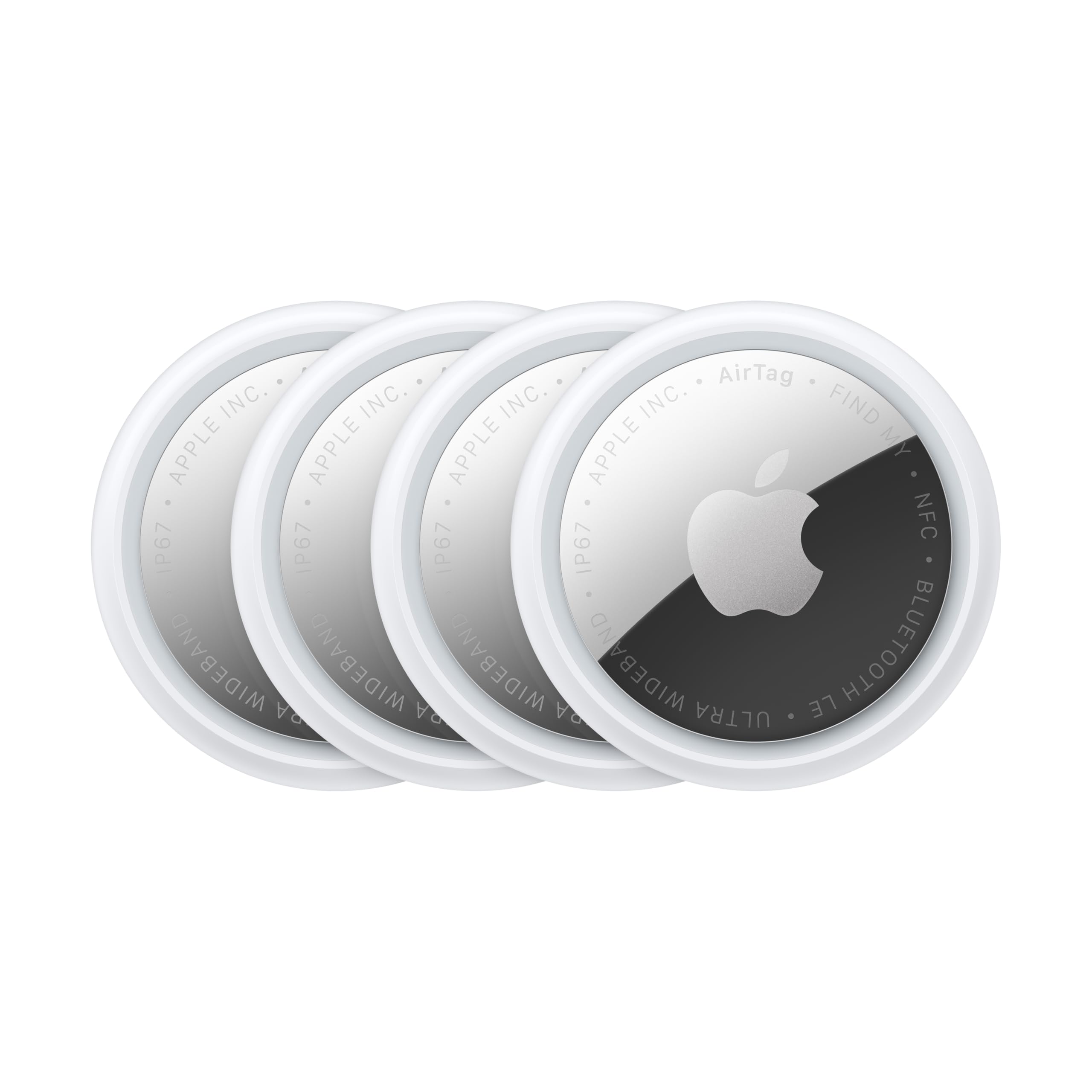
1. Apple AirTag (2nd Gen)
Best Overall
Key Features
- Pack: 4 trackers
- Size: 1.26 x 1.26 x 0.31 in
- Finding: Precision Finding, up to 1.5X range
- Network: Apple Find My
- Price: Premium
A bag that never shows up at the carousel is the test that matters. For iPhone travelers, the AirTag is the luggage tracker we reach for first because it pairs the broad Find My network with Precision Finding when you are close enough to hunt through a pile of bags. The second-generation model adds a 50% louder speaker and a longer Precision Finding range, two upgrades that matter in a noisy baggage hall.
The detail we appreciate most for checked bags is location sharing: you can temporarily share an AirTag’s location with trusted contacts or with more than 50 airline partners. That turns a tracker from a private worry into something a baggage desk can act on. The four-pack also makes sense for a family, since one tag per bag beats moving a single tracker between suitcases.
The caveat is the ecosystem. If anyone in your household carries Android, an AirTag is the wrong four-pack. Battery life is the other thing to watch; check the battery level in Find My before a long trip rather than assuming it will last the season. Pairing is usually one tap, but an older iPhone can be stubborn, so set the tags up before you leave home.
Pros
- Broad Apple Find My network
- Precision Finding with UWB
- 50% louder speaker
- Airline location sharing
Cons
- iPhone-only ecosystem
- Costs more than budget packs
For iPhone owners, the AirTag is the luggage tracker we recommend first: broad Find My coverage, precise nearby finding, and a louder chime for checked bags.
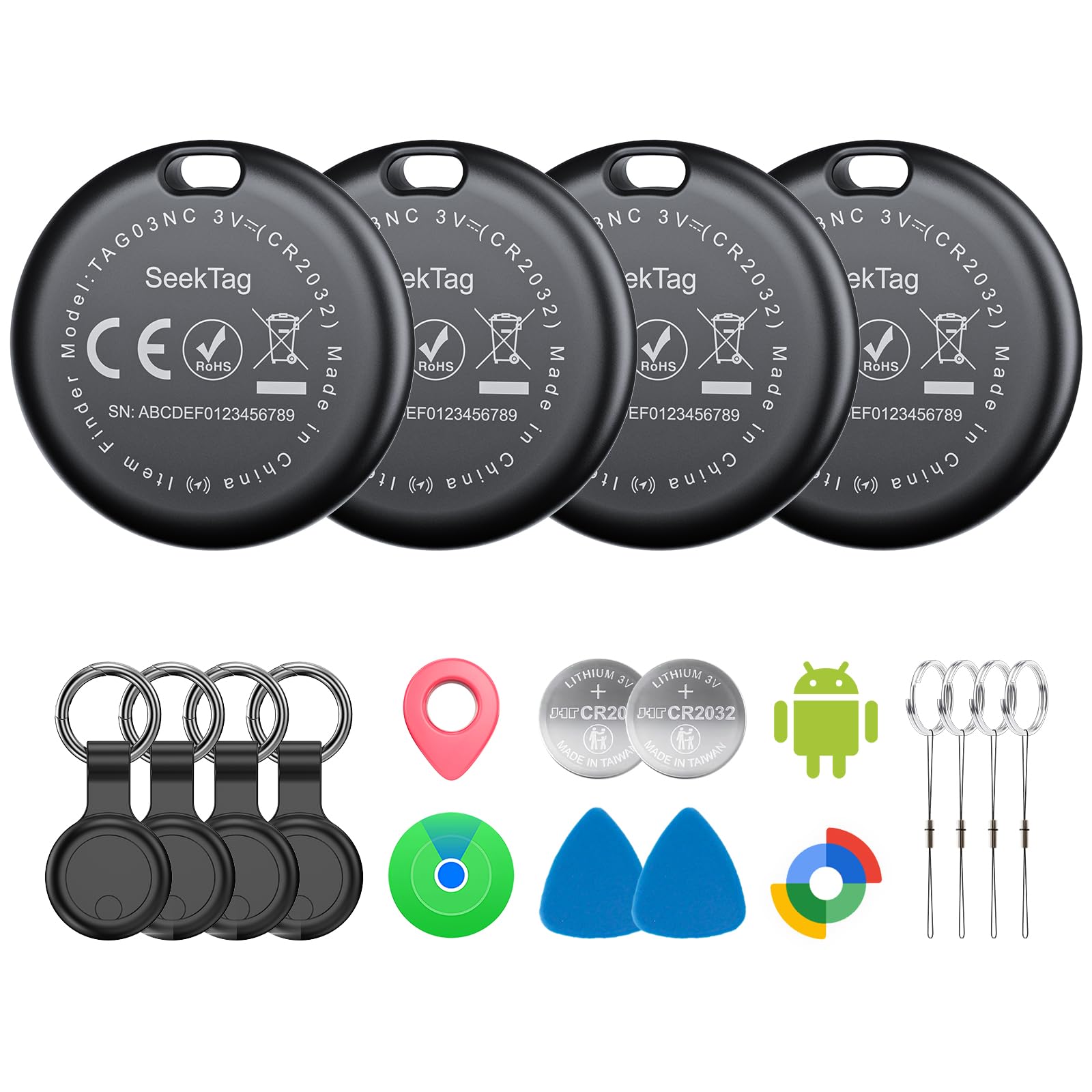
2. KIUP Seektag 4-Pack
Best for Android
Key Features
- Battery: Up to 2 years
- Network: Apple Find My and Google Find Hub
- Alert sound: 105 dB
- Water resistance: IP65
- Price: Midrange
The KIUP Seektag is built for the Android-shaped gap in the tracker aisle: it works with both Google Find Hub and Apple Find My, so a mixed-phone family can buy one four-pack and stop arguing about ecosystems.
We like that flexibility for a travel kit because the person who packs the bag is not always the person who carries the phone. The 105 dB alert is loud enough to hear from inside a suitcase, and the four included cases give you a way to clip a tag to a handle or tuck one into a lining pocket instead of dropping a bare disc into the bag.
The IP65 body is the other detail that suits luggage: it shrugs off rain and splashes on the way to the airport. Set all four up before you leave, label them by bag, and keep the cases with the tags so you are not hunting for a holder at the gate.
Pros
- Works with Find My and Find Hub
- Four protective cases included
- Loud 105 dB alert
Cons
- Sealed battery, not replaceable
- Android pairing can be finicky
The KIUP Seektag is our pick for Android travelers and mixed-phone households, with dual-network support, four cases, and a loud alert.
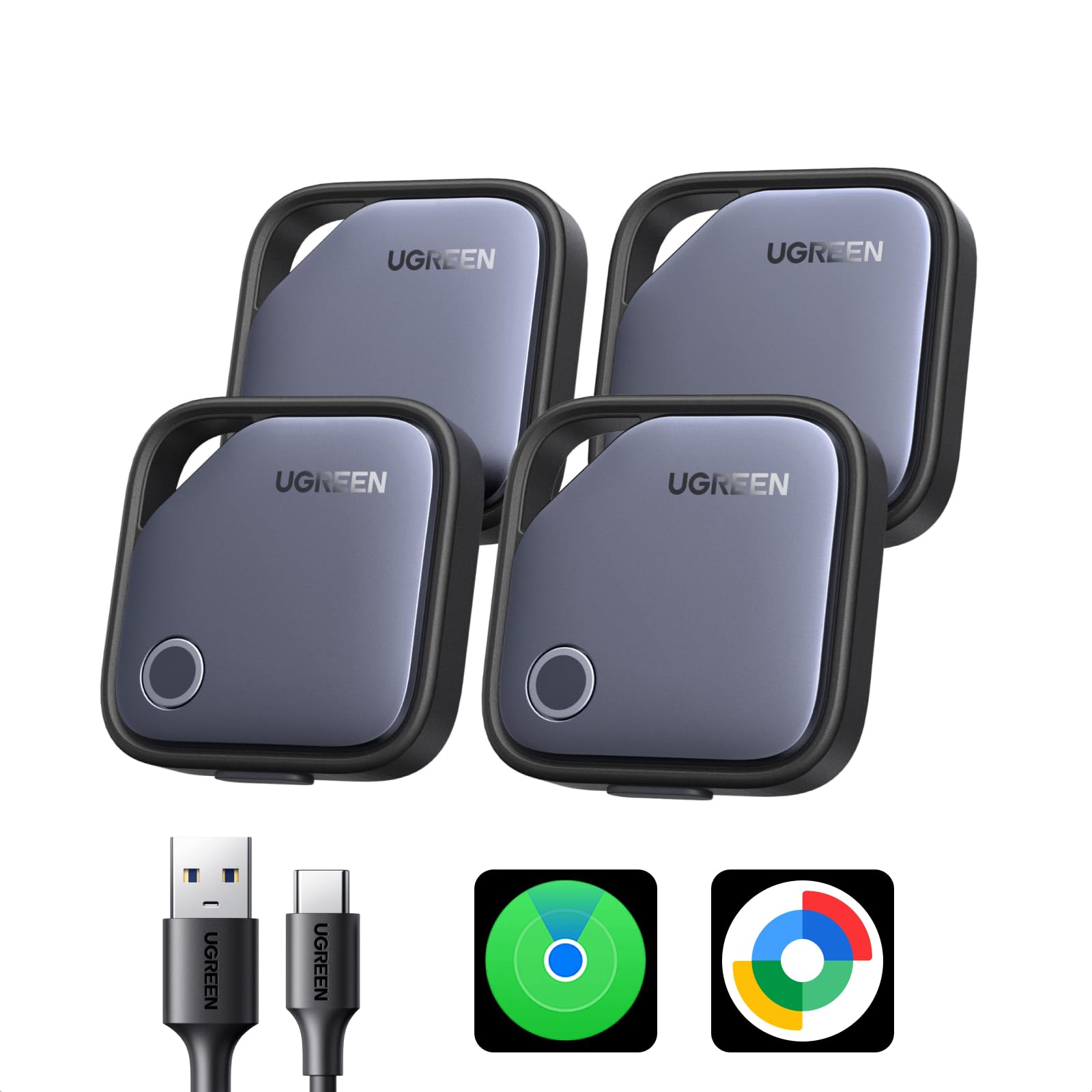
3. UGREEN Finder Duo 4-Pack
Best Rechargeable
Key Features
- Pack: 4 trackers
- Battery: 365 days, USB-C charging
- Network: Apple Find My and Google Find Hub
- Alert sound: 80 dB
- Price: Midrange
The USB-C port is the reason to look at the UGREEN Finder Duo. Instead of hunting for a coin cell before a trip, you top up all four tags from the cable you already carry for your phone, and the rechargeable design means no disposable batteries to stash in a travel pouch.
We appreciate that it works with both Apple Find My and Google Find Hub, which makes it a sensible pick for a household that switches phones or travels with someone on the other platform. The 80 dB alert is loud enough to hear across a room, and the four tags are easy to name by bag in the app.
The 365-day battery claim is the number to treat as a best case; check the tags in the app before a long itinerary, because a dead tracker in a checked bag is no help at the carousel. The 80 dB alert is not the loudest here, but it is easy to hear in a quiet room, and the four-pack is the right shape for a family.
Pros
- USB-C rechargeable
- Works with iPhone and Android
- Four tags per pack
Cons
- Android pairing issues on newer phones
- Some units fail early
The UGREEN Finder Duo is the rechargeable pick for households that switch between iPhone and Android, with USB-C charging and four tags in the box.
4. UGREEN FineTrack 4-Pack
Best Budget for Iphone
Key Features
- Pack: 4 trackers
- Size: 1.42 x 1.42 x 0.29 in
- Battery: Up to 2 years, replaceable
- Network: Apple Find My (iOS only)
- Price: Budget
The UGREEN FineTrack is the budget route into Apple Find My for a whole set of bags. You get four tags, a two-year replaceable battery, and one-tap pairing with the Find My app, which is the combination that makes it worth a look for iPhone travelers who want a budget set.
We appreciate the replaceable battery most: a two-year rating plus a cell you can swap means the tag does not become e-waste the moment the power dies. The tags are light and small enough to disappear into a lining pocket, and setup is simple enough to hand a spare to another iPhone user in the family. The trade-off is consistency; budget tags can be fussy, so test all four before a trip and keep the receipt until you know they pair.
Pros
- Apple Find My support
- Two-year replaceable battery
- Four tags per pack
Cons
- Battery life varies
The UGREEN FineTrack is the budget iPhone pick: four Find My tags with replaceable batteries for keeping a family’s bags covered.
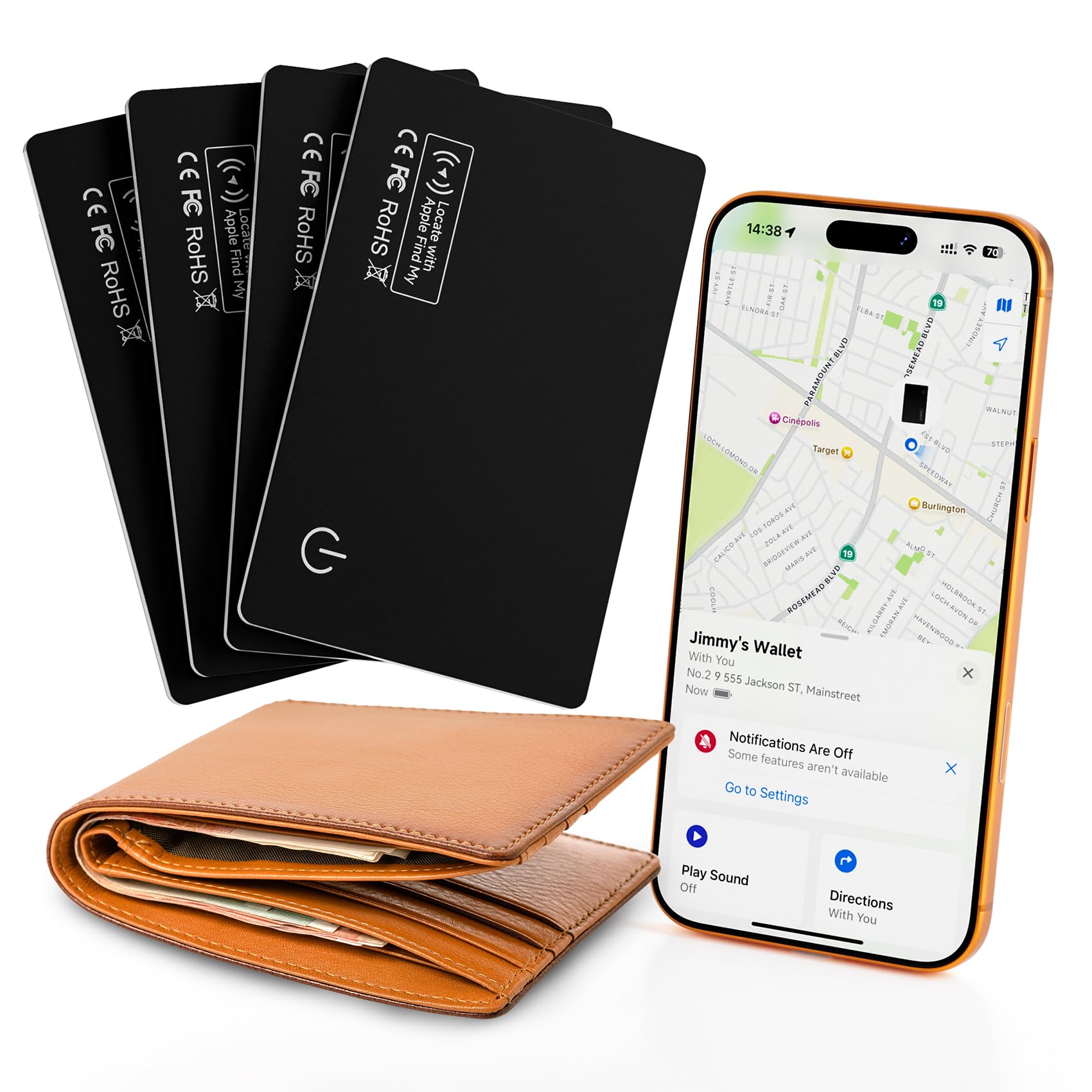
5. J-Tech Digital Air Card 4-Pack
Best Card-Style for Luggage
Key Features
- Form: Wallet-size card
- Battery: Up to 5 months per charge
- Network: Apple Find My (iOS only)
- Water resistance: IP68
- Price: Midrange
A tracker with a keyring hole is useless in a passport wallet or a flat interior pocket. The J-Tech Air Card solves the shape problem: at 0.07 inch thick, it slides into a suitcase lining or a wallet without creating a lump, and the IP68 body means a spilled drink or a rainy transfer is not a crisis.
We like the four-card bundle for family travel because one card per bag is easier to manage than moving a single tag around. The cards recharge, so there is no coin cell to buy, and the four-pack gives you a spare for a carry-on or a passport holder. The slim shape is the detail that won us over; it does not fight the pocket the way a round tag can.
Pros
- Slim card fits flat pockets
- IP68 water resistance
- Rechargeable
Cons
- Five-month charging cycle
- iOS-only
The J-Tech Air Card is the pick for flat pockets and passport wallets, with a slim IP68 body and four rechargeable cards for family bags.
6. Replglee Tagigo 4-Pack
Best for Mixed-Phone Families
Key Features
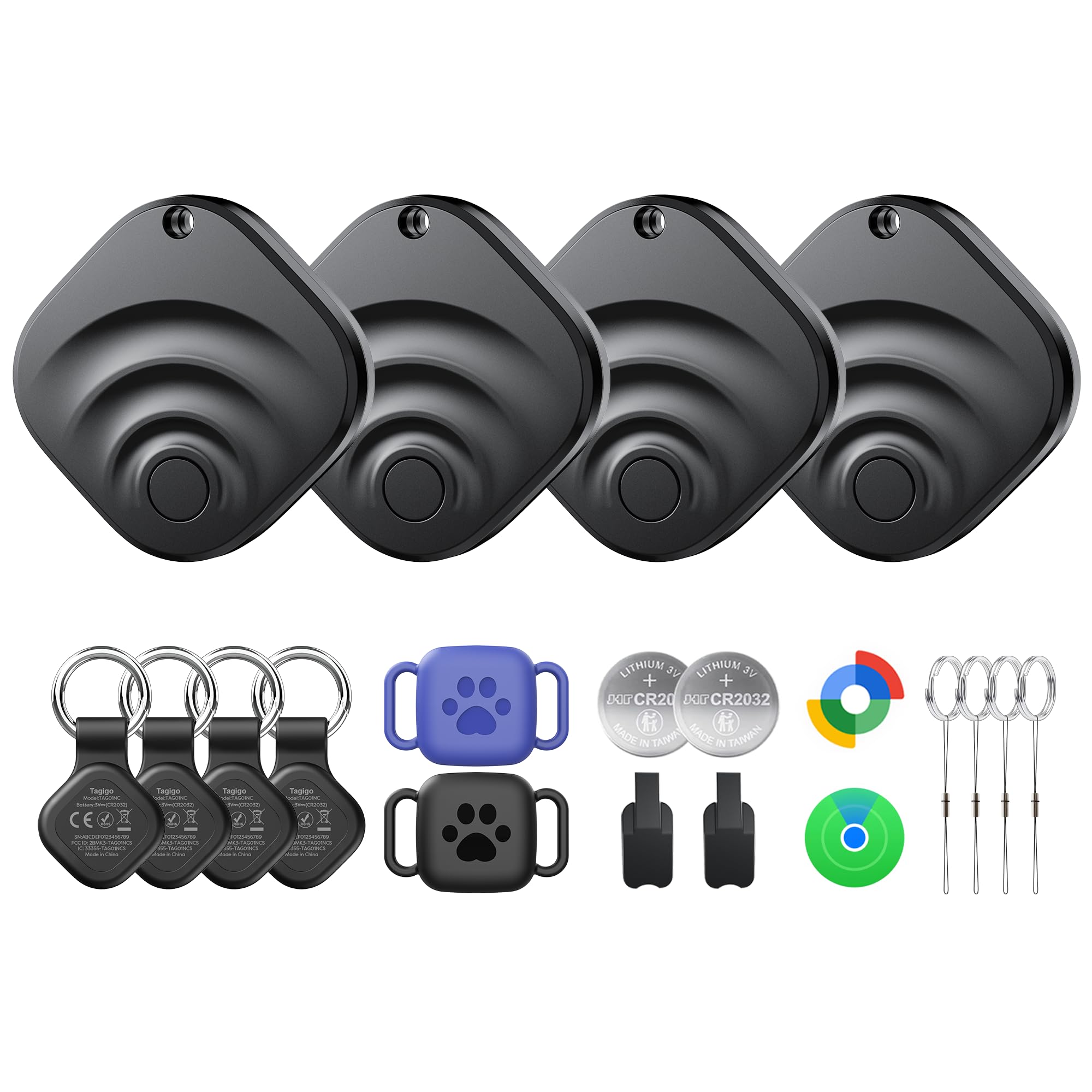
- Pack: 4 trackers, 6 cases
- Battery: Up to 2 years
- Network: Apple Find My and Google Find Hub
- Water resistance: IP66
- Price: Midrange
Six cases for four trackers is the kind of small extra that matters when you are dividing a pack among family bags. The Replglee Tagigo covers both Apple Find My and Google Find Hub, so it works for an iPhone traveler and an Android traveler in the same group, and the 110 dB alert is the loudest claimed here.
We appreciate the bundle because the cases let you put one tag on a handle and another inside a lining without buying holders separately. The IP66 body is enough for rain and splashes, and setup is quick enough that you can hand out tags at the airport curb. The caveat is location freshness: updates can lag, so it is better for last-seen checks than for watching a bag move in real time.
Pros
- Dual Find My and Find Hub support
- Six cases included
- 110 dB alert
Cons
- Battery performance can vary
The Replglee Tagigo is a strong value bundle for Android or mixed-phone families, with dual-network support and six cases for dividing among bags.
7. Spotminders Wallet Card 4-Pack
Premium Card Carry
Key Features
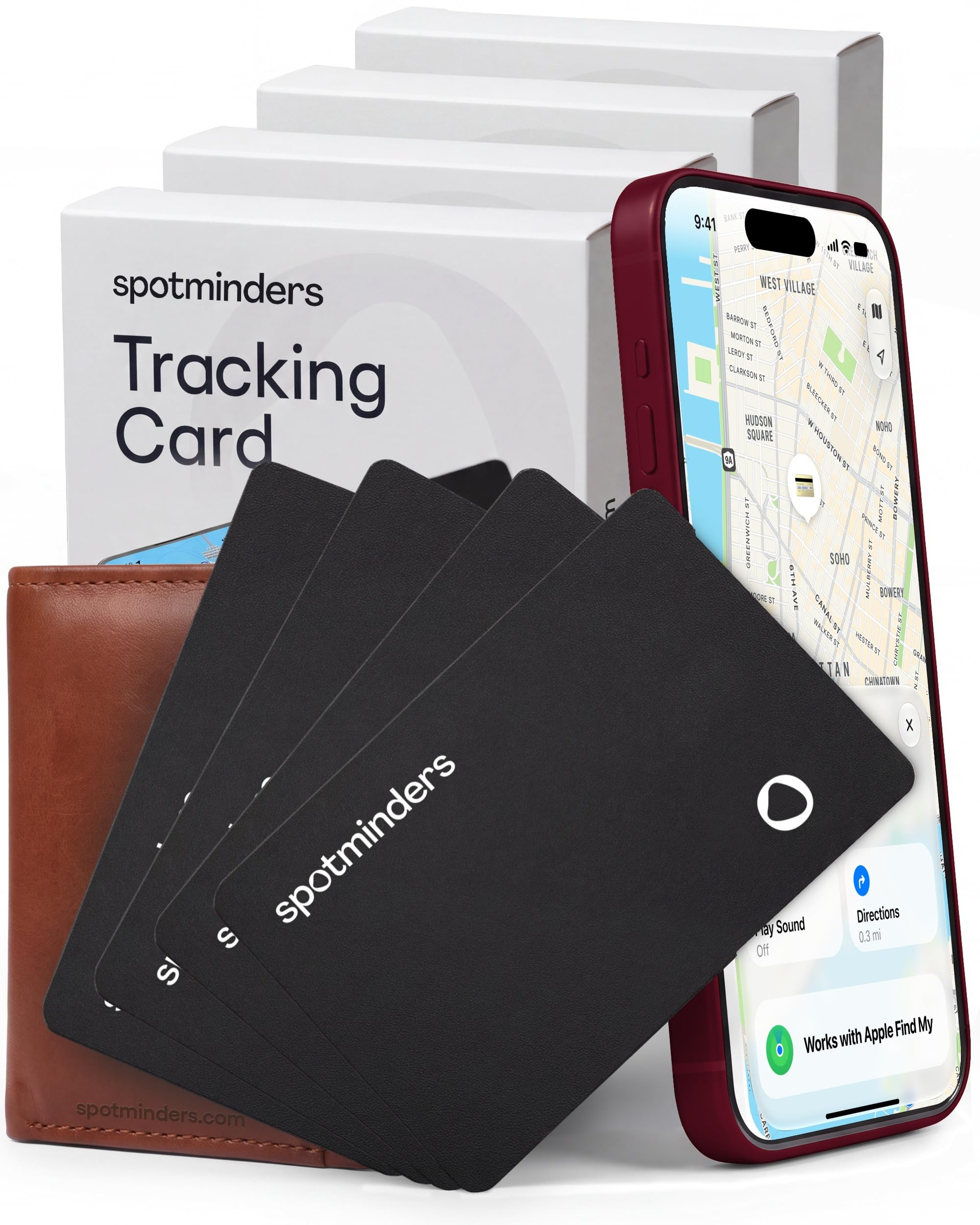
- Form: 0.07 in card
- Battery: Up to 8 months per charge
- Network: Apple Find My (iOS only)
- Water resistance: IP68
- Price: Premium
The Spotminders card is the premium version of the flat-tracker idea: it disappears into a wallet or passport holder, then recharges on a wireless pad. The 0.07-inch body and IP68 rating are the specs that matter for travel, and the 8-month charge interval is longer than the J-Tech card’s five months.
We like it for a passport wallet or a slim briefcase, not for a soft-sided duffel where a tag with a ring is easier to fish out. The 100 dB alert is loud enough to locate in a hotel room, and the wireless charging means no tiny cable to lose. It is the most polished card here, and the one we reach for when the flat shape matters more than the budget alternatives.
Pros
- Slim 0.07-inch card
- Wireless charging
- Up to 8 months per charge
Cons
- Costs more than other cards here
- iOS-only
The Spotminders card is the premium choice for iPhone travelers who want a slim, wireless-charging tracker in a passport wallet or flat bag pocket.
How We Chose and Tested the Best Luggage Trackers
We started with a broad sweep of listings — close to 40 — and cut anything that required a subscription, anything with no stated battery life, and anything that only works within Bluetooth range. What survived was a spread of tag-style and credit-card-style trackers, some built for one finding network and some that work with either. Sixteen units went into testing, and they’ve lived in our bags and pockets for four months now.
Setup was the first checkpoint, since a tracker you can’t pair is a coaster. I timed each one from pulling the battery tab to the first successful ring, on both an iPhone and an Android phone, and noted when the instructions were a single pictogram with no words. Most paired in under a minute; a few took several attempts, and one never showed up on Android at all.
Then they went into checked bags on eight trips, into carry-ons, into passport wallets, and clipped to duffels. At the airport I walked the length of a terminal to see how often the location refreshed and how tight the radius got, and I watched the timestamp when a bag dropped out of range in a basement or a hold. Sound got its own low-tech trial: I hid each tracker in a sofa cushion, under a car seat, and inside a packed suitcase, walked away, and listened.
Every week I logged the battery percentage the app reported; on the rechargeable cards I timed a full charge and watched how long it held, and noted which ones warned me before dying. A few went into a bowl of water for five minutes to see whether the waterproof rating held, and I did the four-pack math — cost per tracker, plus whether the battery swaps out or the whole thing gets tossed.
How to Choose a Luggage Tracker
The right luggage tracker starts with your phone, not the tracker with the loudest alarm.
Match the Tracker to Your Phone
Apple Find My and Google Find Hub are separate networks, and a tag built for one will not pair with the other. If your household is all iPhone, an AirTag is the most polished route. If you carry Android, or travel with someone on the other platform, choose a dual-network model such as the KIUP Seektag or UGREEN Finder Duo. Decide this before you compare models, because the wrong network turns a good tracker into a keychain ornament.
Choose a Tag, a Card, or a Case
A round tag with a ring or case clips to a handle or an interior loop; a card-shaped tracker disappears into a passport wallet or a flat suitcase pocket. The card is the better shape for a slim bag or a wallet, but a tag is easier to fish out of a soft duffel. Check what comes in the box, too: the KIUP and Replglee packs include cases, while the J-Tech and Spotminders cards are meant to slide into a pocket.
Pick a Battery Strategy
Replaceable coin cells suit a tracker you keep for years: the UGREEN FineTrack rates its battery at two years and lets you swap it. Rechargeable models such as the UGREEN Finder Duo avoid disposable batteries but add a charging routine. Sealed tags can be the slimmest, yet the KIUP’s non-serviceable cell means the whole tag retires when the battery does. Whatever you choose, check the battery status before a long trip and carry a spare if the model takes one.
Know What Finding Actually Looks Like
These are Bluetooth item finders, not GPS trackers. They report a last-known location when nearby phones on the network see them, and they can play a sound or show directional guidance when you are close. That is enough to tell you your bag is still at the transfer airport; it is not a live map of the bag moving down the belt. The AirTag’s Precision Finding and airline location sharing are the most useful extras here, but every pick depends on the network around it.
Check Durability and Pack Math
A checked bag gets thrown, rained on, and stacked, so an IP rating and a holder matter more than a pretty finish. IP65 and IP66 handle splashes; IP68 is the better choice if a water bottle leaks inside the bag. Then count your bags: a four-pack is the practical unit for a family, and the Replglee’s six cases or KIUP’s four cases save you from buying holders separately. A single premium card makes sense only if you pack one slim bag.
Frequently Asked Questions
Do luggage trackers need a subscription?
No. The trackers here use Apple Find My or Google Find Hub, and those networks do not charge a monthly fee. You buy the hardware and use the phone app you already have. If a listing mentions a subscription, read what it covers before buying; it is not required for the basic finding features on these picks.
Will a tracker work if my bag is in another country?
Usually, yes, because Find My and Find Hub are crowd networks that work globally. The catch is that updates depend on other phones being near your bag, so you may see a location from hours ago rather than a live pin. Turn on Lost Mode before you fly and share the item with a travel companion so someone else can check it.
Where should I put a tracker in a suitcase?
Put it in an interior zippered pocket or behind a lining panel, not loose near the wheels or telescoping handle. A card-style tracker sits flat in a passport wallet or a laptop sleeve; a tag-style model should clip to an interior loop or sit in a case. Avoid the outside pocket, where a handler can see it and where it is more likely to be knocked out.
Final Verdict
Start with your phone, not the tracker. For iPhone travelers, the AirTag is the clear default here: it has the broadest Apple network, directional finding when you are close, and a louder chime for a bag on a belt. It is the one we pack first for a checked bag.
Android and mixed-device households should look at the KIUP Seektag, which speaks both Find My and Find Hub and includes cases, or the UGREEN Finder Duo if USB-C charging matters more than the budget route. For flat pockets, the J-Tech card is the value route and the Spotminders is the premium one with a longer charging interval. If you pack a passport wallet rather than a duffel, start with the J-Tech and move up to the Spotminders only if wireless charging is worth the premium.