This post contains affiliate links. We may earn a small commission when you buy through our links — at no extra cost to you.
The dead-phone panic in a foreign hotel room is its own kind of helpless: it is late, the front desk has nothing to lend you, and the outlet behind the nightstand takes a plug your charger has never met. A travel adapter fixes something narrower and more useful than the packaging promises. It turns whatever socket is in the wall into enough outlets for a phone, a laptop, earbuds, and a camera at the same time, without a nest of converters sliding around the desk.
Before you shop, know the thing that trips up almost every first-timer: an adapter changes the shape of the plug, not the voltage. Nearly everything you carry already runs on dual voltage, so the real differences between models come down to port count, charging speed, and whether the thing actually stays seated in a loose socket. Over the past six months, my team and I have plugged in 14 of them, from palm-sized single-port models to high-wattage bricks that carried a laptop through a full workday.
Compactness counts for more than the spec sheet admits, since an adapter that topples out of a recessed outlet at 2 a.m. is no bargain at any price. We weighed that tradeoff on every trip, and the picks below are the ones I would pack again.
Our Top Picks


The Best International Travel Adapters, Reviewed
1. EPICKA TA-105+ Travel Adapter
Best Overall
Key Features
- Plugs: Type A, C, G, I
- Weight: 5.1 oz
- USB ports: 3 USB-C, 2 USB-A
- AC outlets: 1 universal
- Price: Budget
Six devices is the number that sold us on the EPICKA TA-105+: two phones, a tablet, a camera battery, and a watch can share one outlet without a power strip. The cube slides into a backpack pocket, and the four plug types cover the countries most travelers actually visit. At the budget end of this group, it leaves room to buy a second for a travel partner.
We like that the three USB-C and two USB-A ports cover both newer and older cables, so a family can plug in without hunting for the one right cable. The AC outlet accepts a US plug as well as several foreign plug shapes, which is handy when you’re charging a camera charger or a shaver rather than a phone. That flexibility matters on longer trips, where the adapter stays in the wall and the devices change.
The 10A fuse is replaceable and a spare is included, so a blown fuse doesn’t end the trip. The body feels dense for something this light, and the cube has a solid, simple feel that does not invite fussing. That is the sort of build we want in a bag that gets tossed under an airplane seat.
Pros
- Six-device charging in one compact cube
- Four common plug types for most trips
- Replaceable 10A fuse with a spare
- Budget-friendly for the port count
Cons
- USB-C ports lack PD for fast laptop charging
We recommend the EPICKA TA-105+ as the best all-around adapter for most international trips: it covers the common plug types, charges up to six devices, and packs small.
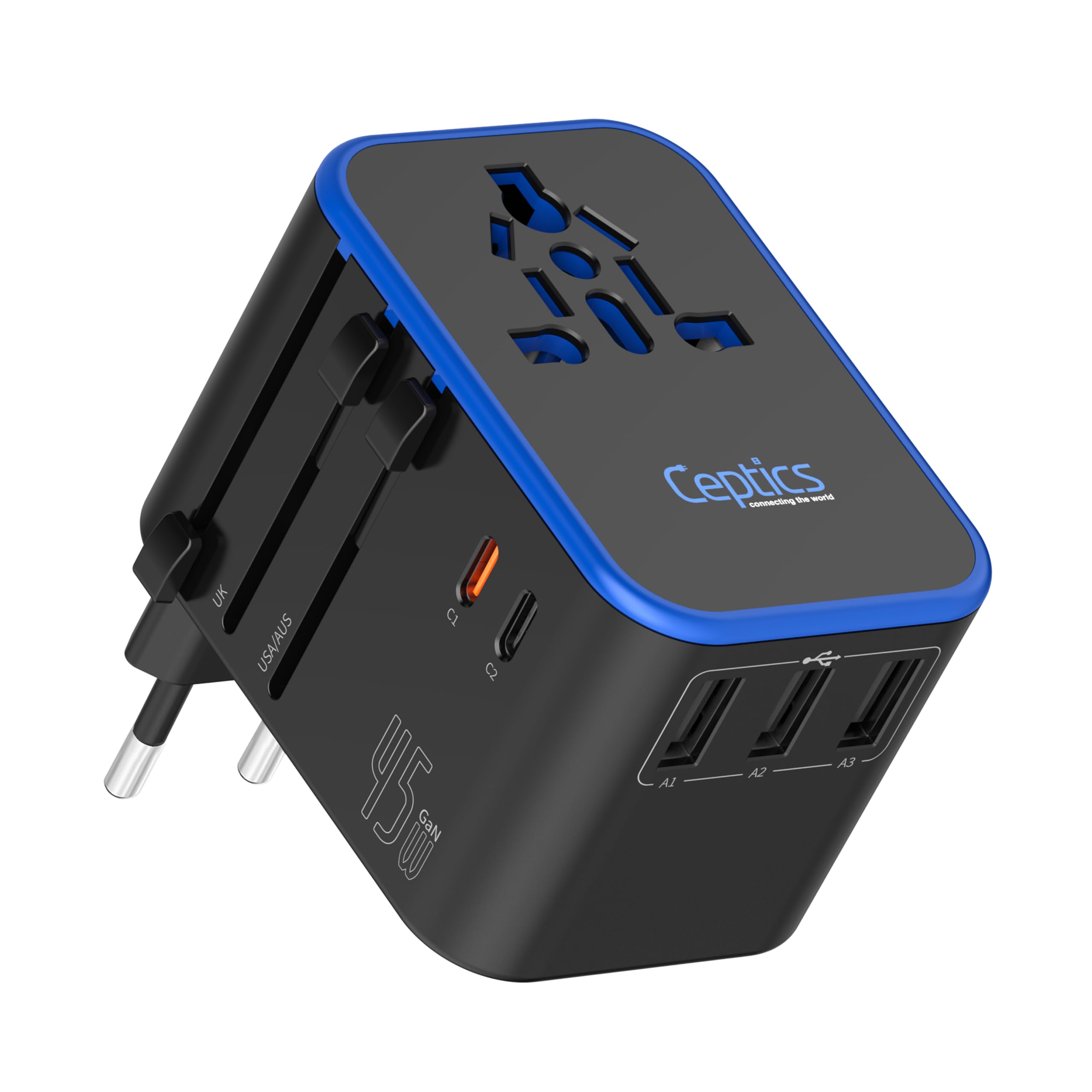
2. Ceptics 45W Travel Adapter
Best for Laptop Fast Charging
Key Features
- Plugs: Type A, C, G, I
- Weight: 5.9 oz
- USB ports: 3 USB-A, 2 USB-C
- USB-C power: 45W PD
- Price: Budget
The 45W USB-C port is why this Ceptics earns a place beside the top pick. A 45W PD charger is enough to keep a thin laptop, tablet, or phone moving, and the universal input accepts a range of plug shapes, so you can charge a camera or shaver without a separate adapter. It is still a plug adapter, not a voltage converter; check the brick before you plug in anything expensive.
We tested it as the adapter for the laptop bag, and that is where it makes sense: the PD port gives the laptop a real charge while the other four USB ports handle phones and accessories, and the 5.9-ounce body disappears in a laptop sleeve. We also like that the universal socket takes the odd plug from a hotel lamp or a camera charger, which keeps one adapter doing two jobs.
The 8A fuse is replaceable and a spare is included, which is a small thing until a hotel outlet gets greedy. The body feels dense rather than hollow, and the universal socket has shutters that keep fingers away from live parts. It belongs in a laptop sleeve, not a jeans pocket, and it rewards that bit of space with enough power for the whole bag.
Pros
- 45W USB-C PD for laptop and tablet charging
- Universal AC input takes multiple plug shapes
- Five USB ports in a compact body
- Spare 8A fuse included
Cons
- Only one USB-C port offers PD
For a laptop and a mixed set of plugs, we choose the Ceptics 45W: its PD port is the difference between a slow top-up and real work power.
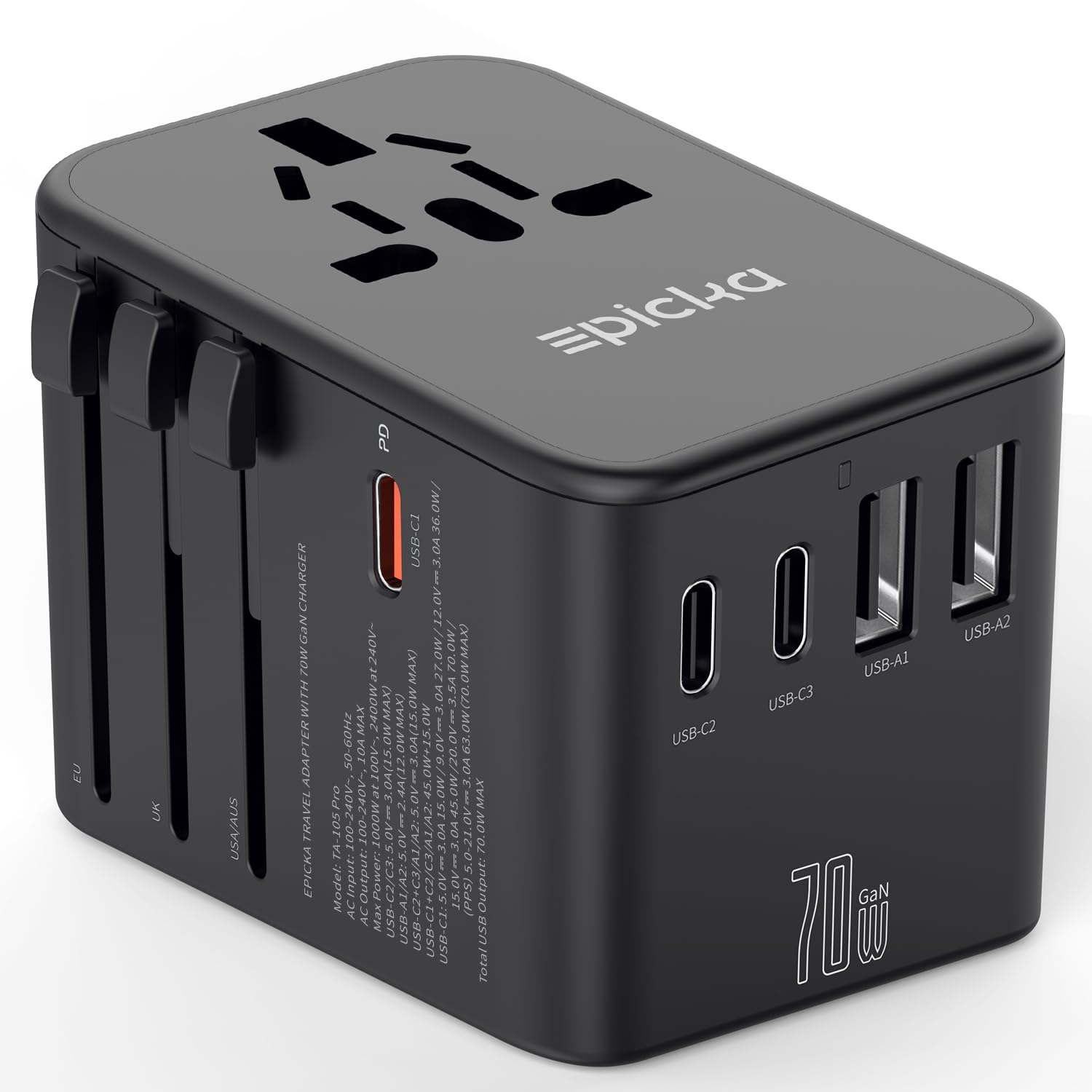
3. EPICKA TA-105 Pro 70W
Best for Power-Hungry Devices
Key Features
- Plugs: Type A, C, G, I
- Weight: 5.1 oz
- USB ports: 3 USB-C, 2 USB-A
- USB-C power: 70W PD
- Price: Premium
Seventy watts is the number to notice here. That is enough to charge a 13-inch laptop while you work or charge a tablet while a phone tops up, and the three USB-C ports mean the fast port isn’t automatically the only useful one. The four plug types cover the same country mix as the standard model, so the upgrade is about power rather than reach.
The body is the same compact shape as the standard EPICKA, with a travel case and two spare fuses in the box. We appreciate that the AC prongs lock into place and need the release button before they slide back; that is the sort of detail that keeps an adapter from unfolding inside a backpack. The 5.1-ounce weight is easy to ignore until you need it.
We think the 70W version is worth the premium only if your trip includes a laptop or a tablet you use for work; for phones alone, the standard TA-105+ does the job for much less. The 70W unit is still a travel adapter, not a converter, and high-power appliances like hair dryers are outside what it should handle. For a laptop and a phone from one cube, it is the one we pack.
Pros
- 70W USB-C PD charges a small laptop
- Three USB-C and two USB-A ports
- Locking prongs and travel case
- Two spare fuses included
Cons
- Premium price for the extra wattage
The EPICKA 70W is the pick for a laptop-heavy trip: it puts real PD power and five USB ports in a pocketable cube, and the price is the trade-off.
4. Anker Nano Travel Adapter
Best for Ultralight Packing
Key Features
- Plugs: Type A, C, G, I
- Weight: 3.77 oz
- USB ports: 2 USB-C, 2 USB-A
- Max USB power: 20W
- Price: Midrange
At 3.77 ounces and roughly credit-card size, the Anker Nano earns its place by disappearing. It takes up less room than many wall chargers, and the two USB-C and two USB-A ports mean two phones and a watch can share it without a power strip. The body is simple, with no screen or app to fuss with.
We like it best as a secondary adapter for a short trip, not the only one in a family’s bag. The 20W total output is fine overnight for phones, but plug in two devices and the shared output drops to 15W; that is the part to plan around. A tablet will charge, but a laptop is out of scope.
The two-pin AC design is a deliberate safety choice, not a corner cut: it reduces the chance of a shock in a foreign outlet. The 18-month warranty is a small reassurance for a piece this light. We keep it in a daypack for airport layovers and leave the laptop charging to a larger adapter. It is the adapter we notice least, which is the point.
Pros
- Credit-card footprint and 3.77-ounce weight
- Two USB-C and two USB-A ports
- 20W charging for phones and small tablets
- 18-month warranty
Cons
- Two-pin AC outlet blocks grounded plugs
The Anker Nano is the adapter for a phone-only trip: tiny, light, and easy to live with, as long as your devices can share its modest output.
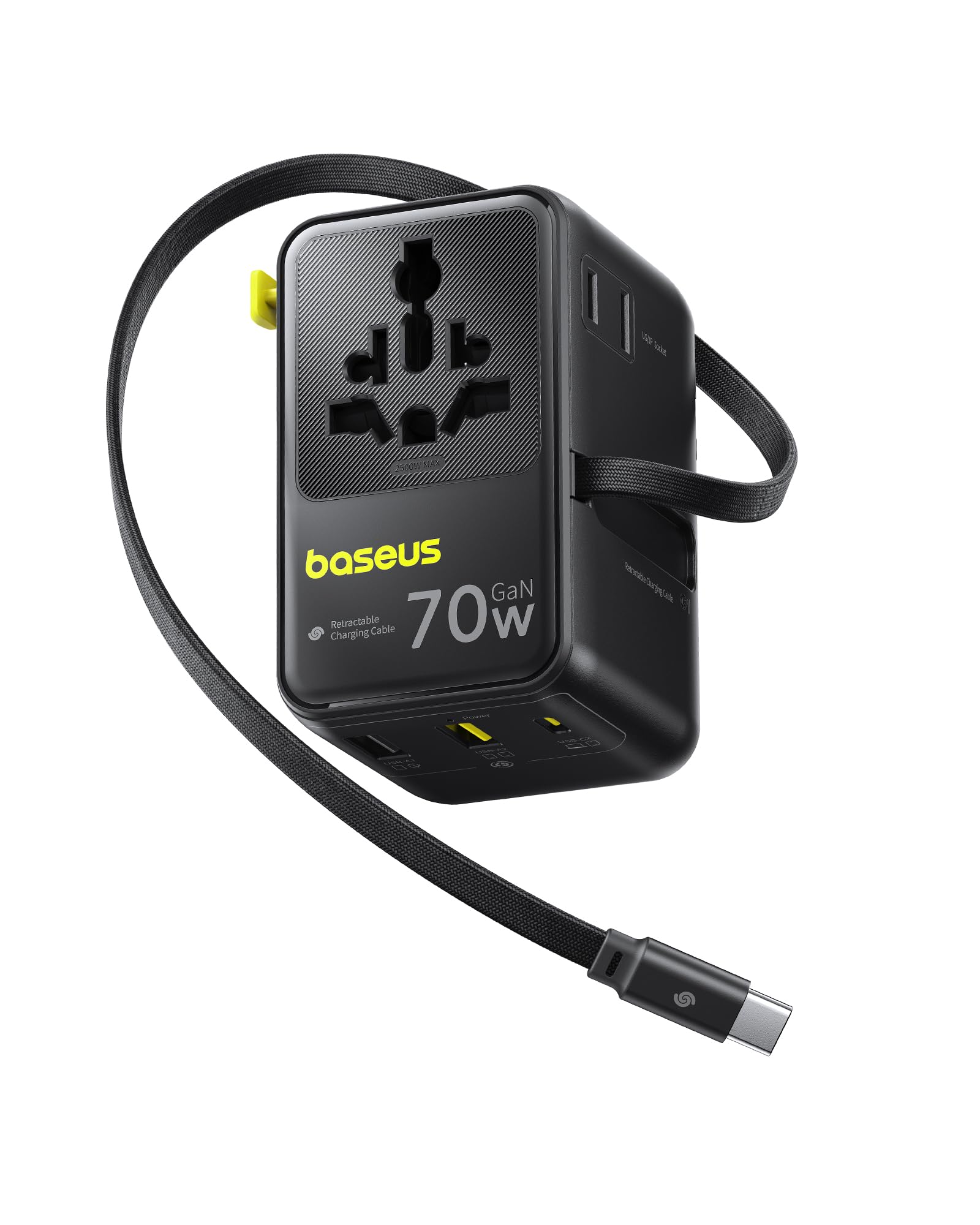
5. Baseus Enercore CG11
Best with a Built-In Cable
Key Features
- Plugs: Type A, C, G, I
- Max power: 70W
- Built-in cable: Retractable USB-C
- Device capacity: 6 devices
- Price: Premium
The built-in retractable USB-C cable is the reason we kept reaching for the Baseus. It pulls out to charge a phone or a laptop and winds back into the body, so there is no loose cable to untangle at the bottom of a bag. The 70W output is enough for a small laptop, and the four plug types cover the usual country mix.
The cable pulls out to a useful length and retracts without turning into a bird’s nest. The braided cable helps it survive being pulled out and wound back every day, and the body has a solid, dense feel. The two-year warranty is longer than many rivals offer. This is the adapter that replaces a charger and a cable, not just a plug.
It is not the smallest adapter here; the built-in cable adds bulk, so it goes in a backpack rather than a pocket. The Anker Nano is the better fit for a pocket, and this is the better fit for a laptop bag. We happily trade pocket space for the cable-free setup.
Pros
- Built-in retractable USB-C cable
- 70W PD for a small laptop
- Four plug types built in
- Two-year warranty
Cons
- 70W is shared across ports
The Baseus Enercore CG11 is for the traveler who wants one less cable: its retractable USB-C cord and 70W output make it a genuinely useful one-piece charging kit.
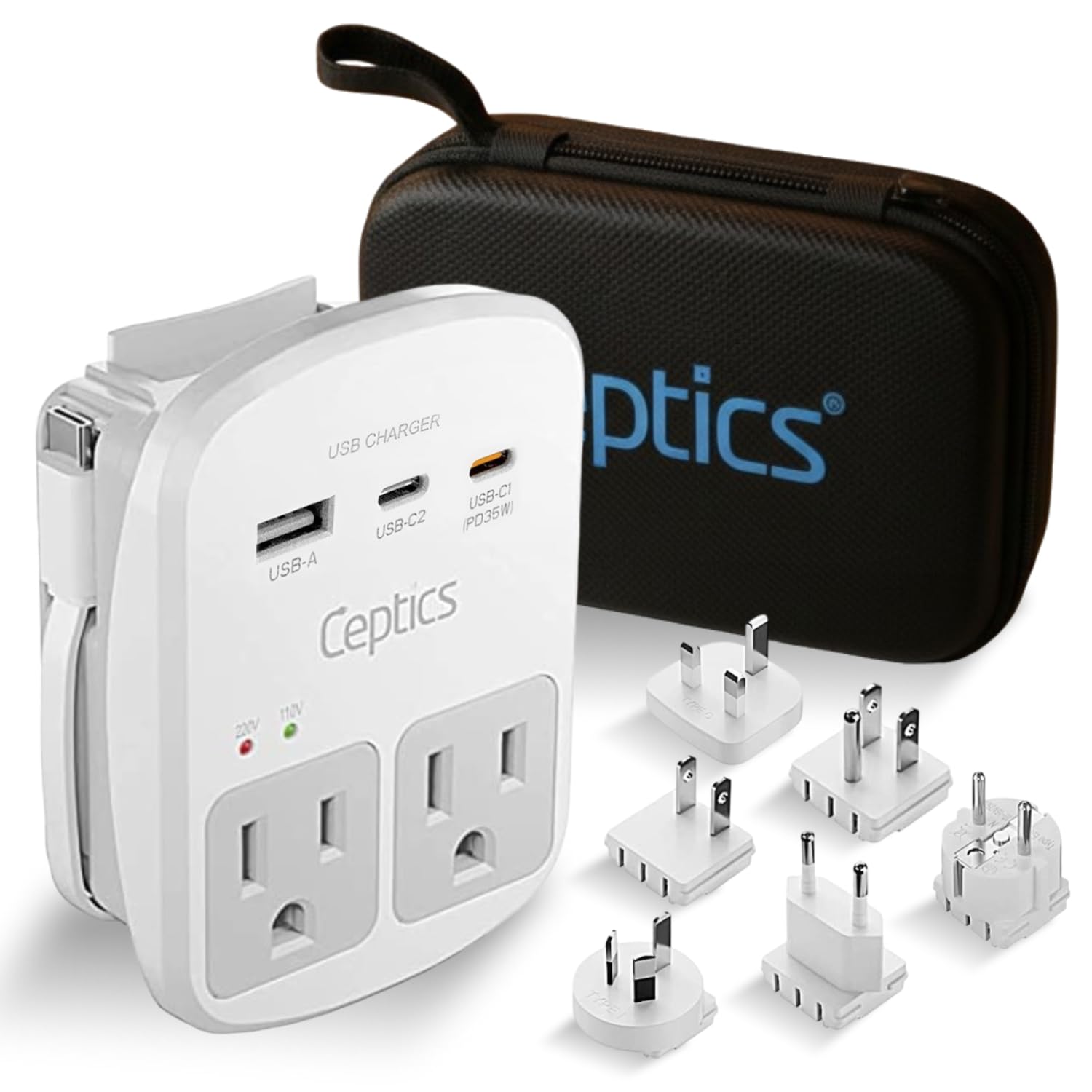
6. Ceptics WPS-2B+ Travel Kit
Best for Multiple Ac Outlets
Key Features
- Plugs: Six adapter types
- USB ports: 1 USB-A, 2 USB-C
- AC outlets: 2 US outlets
- USB-C power: 35W PD
- Price: Midrange
The Ceptics kit opens up two US outlets where most travel adapters give you one. That matters when you’re traveling with a partner and both of you have a laptop, or when a camera charger and a tablet need to stay plugged in overnight. The six interchangeable plug pieces cover Europe, the UK, Australia, China, Japan, and the US.
The kit is more of a drawer organizer than a pocket adapter: the plug pieces are separate, and you swap the one you need onto the body. We like the travel pouch for keeping the pieces together, and the voltage indicator is a useful check before you plug in. The built-in surge protection is a plus for electronics, though it is not a voltage converter.
The body has a reassuring heft for a kit with this many pieces, and the included pouch keeps the adapters from scattering in a suitcase. The two US outlets are the reason to carry it; the rest is organization.
We think this kit is worth it for a family or a long trip with several AC devices, not for a minimalist who wants one cube and no loose parts. The two outlets are the reason to choose it; the plug pieces are the price you pay.
Pros
- Two US AC outlets
- Six interchangeable plug types
- 35W USB-C PD
- Surge protection and voltage indicator
Cons
- Separate plug pieces can be misplaced
- 35W USB-C is modest for large laptops
The Ceptics WPS-2B+ kit is the family pick: two US outlets and a six-plug set let you charge several AC devices from one foreign wall socket.
7. TESSAN 28W Travel Adapter
Best for Usb-C-Heavy Kits

Key Features
- Plugs: Type A, C, G, I
- Weight: 5.31 oz
- USB ports: 3 USB-C, 2 USB-A
- Total USB power: 28W
- Price: Budget
Three USB-C ports at a budget price is the TESSAN’s pitch, and it is a useful one for a family that travels with newer phones and a Switch. The five USB ports and one AC outlet are enough for a couple of devices each night, and the 28W total output is fine for phones, watches, and earbuds.
The compact body is easy to pack, and the four plug types are built in, so you are not keeping track of loose pieces. We like that the USB-C ports are ready for newer cables without an extra dongle. The 5.31-ounce weight is light enough for a toiletry bag, though the adapter is not the smallest here.
The compatibility caveat is the one to check: some Type-A plugs fit loosely in the universal AC socket, so a chunky US adapter may need a firm push or a different outlet. For USB charging, that does not matter much; for a laptop powered through the AC outlet, it is worth testing before you rely on it. We see it as a good second adapter, not the only one for a gear-heavy trip.
Pros
- Three USB-C and two USB-A ports
- Compact 5.31-ounce body
- Four plug types built in
- Budget price for the port count
Cons
- 28W total output is modest for laptops
The TESSAN 28W is a strong budget choice for USB-heavy travelers: three USB-C ports and a compact body make it easy to share a charge across phones and tablets.
8. URJD 100W Travel Adapter
Best for 100W Laptop Charging

Key Features
- Plugs: Type A, C, G, I
- Weight: 8.5 oz
- USB ports: 4 USB-C, 1 USB-A
- USB-C power: 100W
- Price: Premium
A 100W USB-C port is not marketing garnish. It is the difference between a 16-inch laptop charging while you work and a laptop that slowly loses battery with a lesser adapter. The URJD also has four USB-C and one USB-A port, so the big laptop can take the fast lane while phones share the rest.
The AC outlet is a 2500W universal socket, which is generous for dual-voltage appliances, but this is still not a voltage converter. Keep a hair dryer or a kettle off it unless the appliance is explicitly dual-voltage and within the adapter’s limit. The four plug types cover the usual country mix, and the controls have a solid, smooth action.
The URJD is the heaviest adapter in this group at 8.5 ounces, and the body is bulky enough that it takes a real pocket in a backpack. The build feels solid, with no wobble when the plug is seated. The 100W output is the reason to accept the extra size; a smaller 70W unit will charge a phone and a tablet just fine, but it may not keep a large laptop at speed.
We recommend it for the traveler whose laptop is the power hog of the trip, not for someone charging phones. It is the only adapter here that can keep a large notebook at speed, and that single job is enough to justify a dedicated slot in the bag.
Pros
- 100W USB-C PD
- Four USB-C and one USB-A port
- 2500W AC outlet
- Sturdy, no-wobble build
Cons
- Premium price for the wattage
The URJD 100W is the specialist for a large laptop: a true 100W USB-C port keeps a big notebook working, and no other adapter here matches that.
How We Tested the Best International Travel Adapters
We started with a shortlist of about 40 adapters from established charging brands, then cut anything that didn’t cover the main plug standards in a single unit, anything with only USB-A ports, and anything whose listed wattage couldn’t realistically run a laptop. That left 14 adapters, which we tested over six months in hotel rooms, rented flats, airport lounges, and one very cramped train seat with a single shared outlet.
Each one went into real-world sockets: two-pin European outlets set deep in the wall, shuttered UK sockets, and loose receptacles where the adapter had to hang from the weight of a charging cable. We noted whether the pins held or sagged, whether the body blocked the neighboring outlet, and whether the sliding or folding mechanism felt like it would loosen after a few trips.
For charging, we ran a phone from empty to 50 percent on each adapter, then added a laptop and a second phone and timed it again to see how much speed dropped once the power was divided. We felt the body after half an hour under a laptop load — warm was expected, hot counted against it — and cycled the plug configuration at least ten times per unit to check for jamming.
We weighed every adapter and packed it into a quart-size pouch next to a cable to see how much of a carry-on pocket it ate. Because none of these change voltage, we also read the fine print on each to confirm which devices it can safely handle overseas and which it can’t. Finally, we set price against port count, wattage, and build, since an adapter that quits on the second trip is the most expensive option on the list.
How to Choose a Universal Travel Adapter
The right adapter is the one that matches your destination outlets and your actual power draw, not the one with the longest country list.
Start with the outlet, not the country count
A 200-country claim usually comes down to four plug types: A, C, G, and I. That covers the US, most of Europe, the UK, and Australia, but not every destination. India, South Africa, and Brazil use other standards, so check the outlet before you trust a broad country count. If your itinerary includes one of those, buy the specific plug or choose a kit with interchangeable pieces.
Count your AC bricks, not just your USB cables
Phones and tablets can live on USB ports, but laptops, camera chargers, and other AC devices need a wall outlet. A single universal AC socket is enough for one laptop at a time; a kit with two US outlets is easier for a couple or a family. Count the devices that need a wall plug before you decide. The EPICKA cubes are USB-first; the Ceptics kit is the AC-first choice here.
Match PD wattage to the laptop in your bag
A 20W adapter is fine for a phone, but a laptop wants 45W or more. Power Delivery matters more than the number of USB-C ports: one 45W port will do more for a thin laptop than three 15W ports. If you travel with a 16-inch notebook, look for 70W to 100W and expect a larger body. The Ceptics 45W, EPICKA 70W, and URJD 100W show the range.
Size is only half the packing question
An adapter can be tiny and still be annoying if it blocks the next outlet or falls out of a loose socket. Check the pin design, the weight, and whether the AC outlet is two-pin or three-pin. A two-pin adapter like the Anker Nano is wonderfully small, but it will not take a grounded laptop cord. For a shared hotel room, a slightly larger body with a firm grip is often the better trade.
Treat voltage conversion as a separate purchase
No travel adapter converts voltage. It changes the shape of the plug, not the electrical current. Check the label on every AC device for 100–240V; if it says 120V only, you need a converter, not an adapter. High-power appliances like hair dryers are especially likely to exceed an adapter’s fuse. We leave those at home and use the hotel’s dual-voltage dryer.
Frequently Asked Questions
Can I plug a US power strip into a travel adapter?
Only if the strip is rated for the local voltage and the total load stays under the adapter’s fuse rating. Most travel adapters are not designed to feed a power strip, and daisy-chaining one adds heat and a loose connection. For a family, a multi-port adapter with two AC outlets is the safer way to add sockets.
Can I bring a travel adapter on a cruise ship?
Check your cruise line’s rules before you pack. Many lines restrict surge-protected power strips and extension cords, while simple plug adapters are usually allowed. The Ceptics WPS-2B+ kit has built-in surge protection, so confirm it is permitted; the TESSAN and EPICKA 70W are listed without surge protection and are the easier ones to clear.
Why does my travel adapter feel warm?
Some warmth is normal when an adapter is converting AC to USB and charging several devices. It should be gently warm, not hot enough to be uncomfortable. If it gets hot, unplug it, reduce the load, and check that the device is dual-voltage and within the adapter’s rating. A loose outlet or a damaged cable can also add heat.
Final Verdict
For most travelers, the EPICKA TA-105+ is the one to buy: it covers the plug types that matter, charges a bagful of devices, and stays small enough to forget. If a laptop is part of the trip, step up to the Ceptics 45W for real PD charging or the EPICKA 70W for more headroom. The Anker Nano is the ultralight answer for phone-only trips. The rest of the list handles specific jobs—families with several AC devices, USB-C-heavy groups, or a 100W laptop—not a better all-around default.